1、方法1:通过e-iceblue官网下载。下载后,解压文件,并将lib文件夹下的Spire.Doc.jar文件导入到java程序。
2、方法2:可通过maven仓库安装导入,配置路径及导入方法可参考链接里的步骤:https://www.e-iceblue.cn/licensing/install-spirepdf-for-java-from-maven-repository.html 。
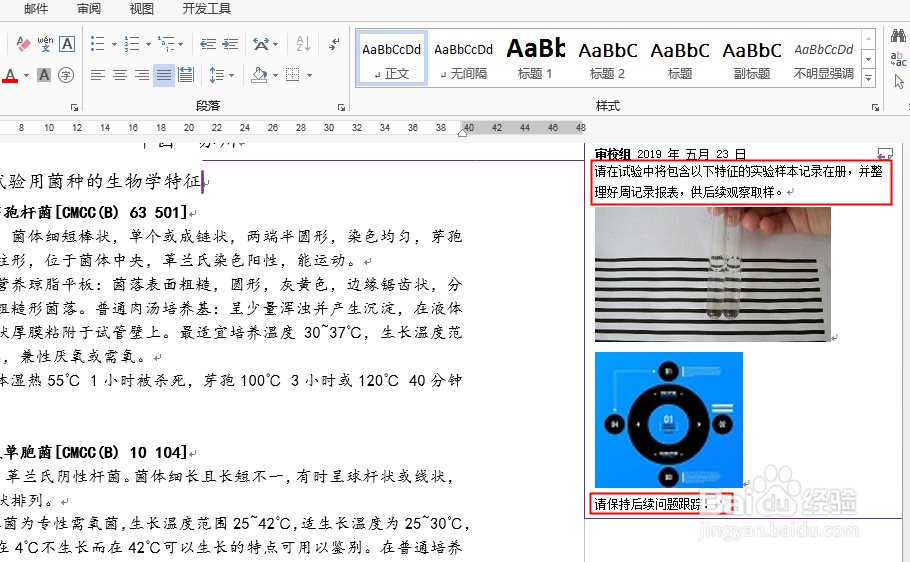
3、测试文档中的批注内容如下:
1、
//加载测试文档Document doc = new Document();
doc.loadFromFile("sample.docx");
//实例化String类型变量
String text = "" ;
//遍历所有批注
for(int i = 0;i< doc.getComments().getCount();i++){
Comment comment = doc.getComments().get(i);
//遍历所有批注中的段落
for(int j= 0;j < comment.getBody().getParagraphs().getCount();j++) {
Paragraph paragraph = comment.getBody().getParagraphs().get(j);
//遍历段落中的对象
for (Object object : paragraph.getChildObjects()) {
//读取文本
if (object instanceof TextRange) {
TextRange textRange = (TextRange) object;
text = text + textRange.getText();
}
}
}
}
//输入文本内容
System.out.println(text)
2、批注读取结果:
