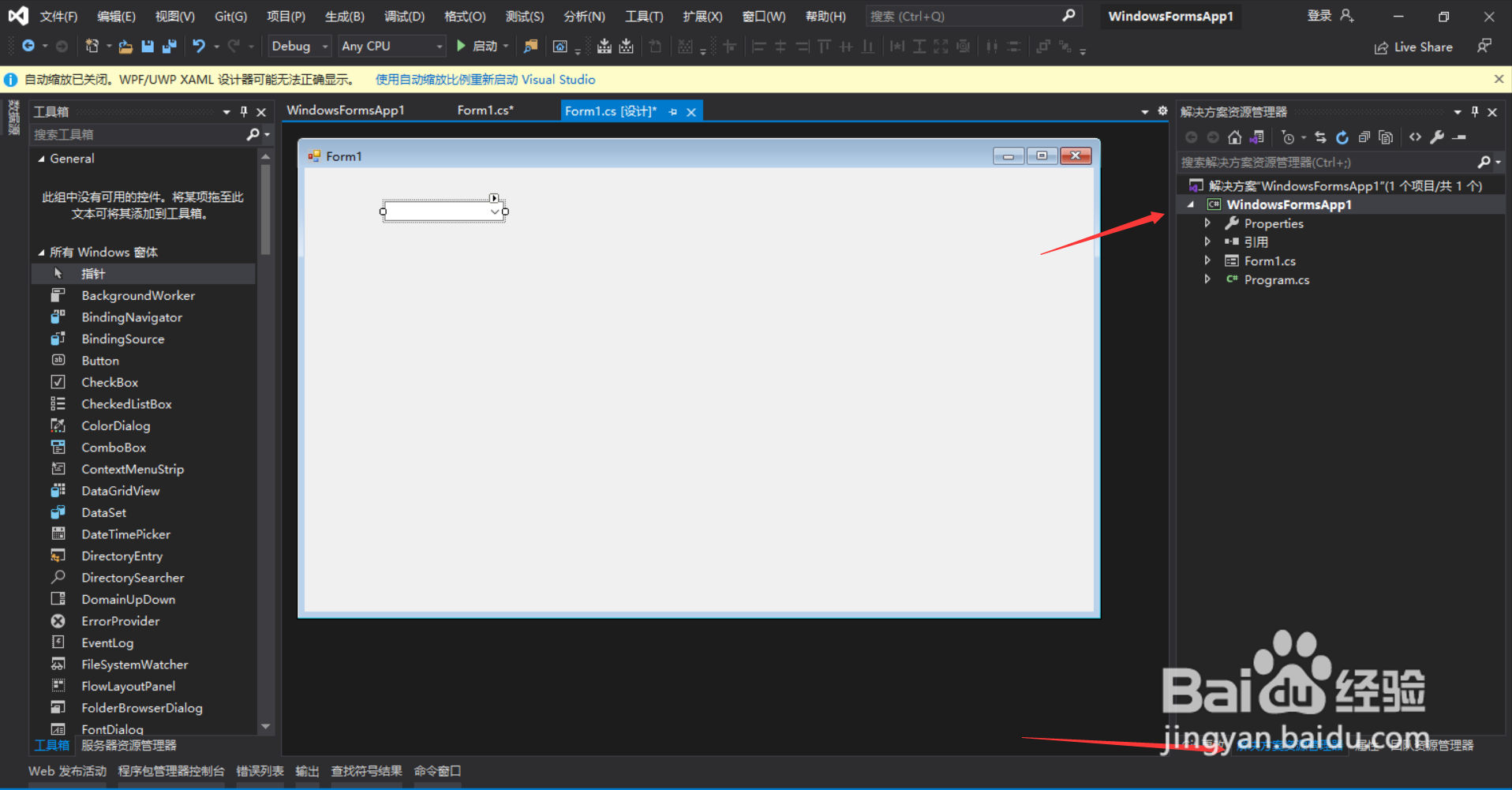
1、首先,打开项目的解决方案管理器,如图所示
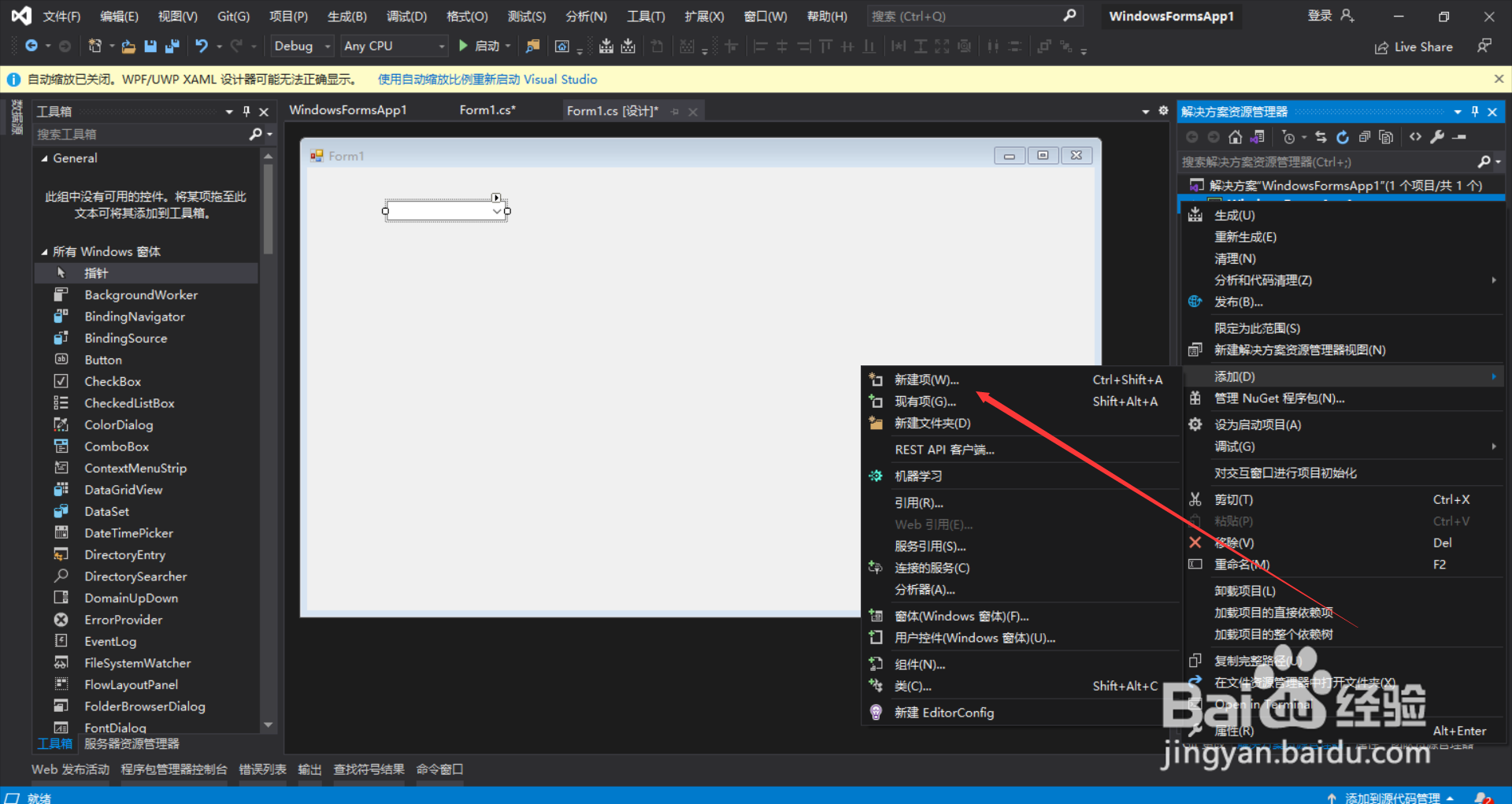
2、然后,右键当前项目,找到添加->新建项,如图所示
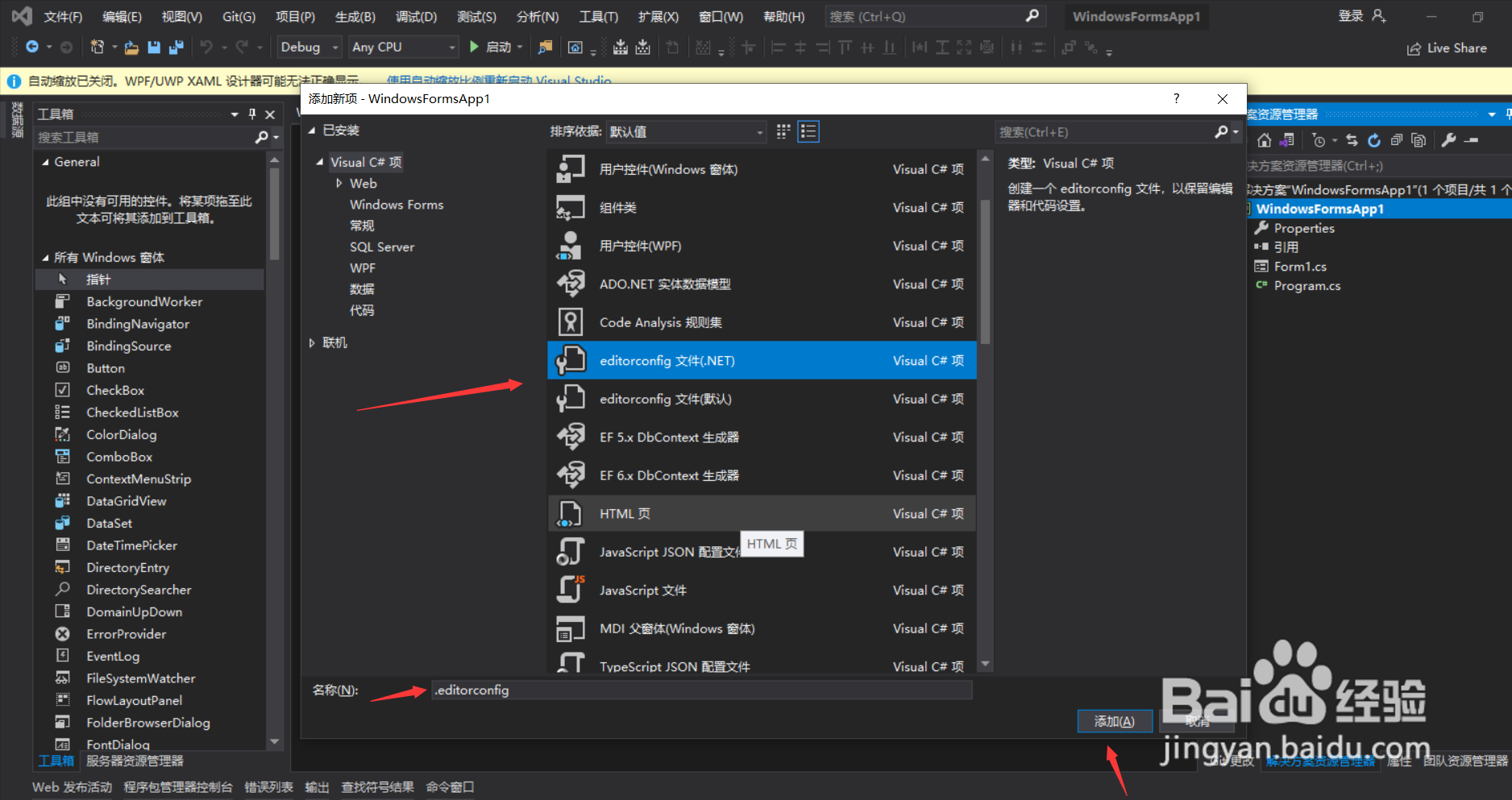
3、最后点击editorconfig,输入名称,再点击添加,c#程序的editorconfig就增加好了,如图所示,快去试试吧,增加你c#项目的第一个editorconfig
1、首先,打开项目的解决方案管理器,如图所示
2、然后,右键当前项目,找到添加->新建项,如图所示
3、最后点击editorconfig,输入名称,再点击添加,c#程序的editorconfig就增加好了,如图所示,快去试试吧,增加你c#项目的第一个editorconfig