iQOO Neo5如何设置行为壁纸

时间:2026-02-14 02:38:49

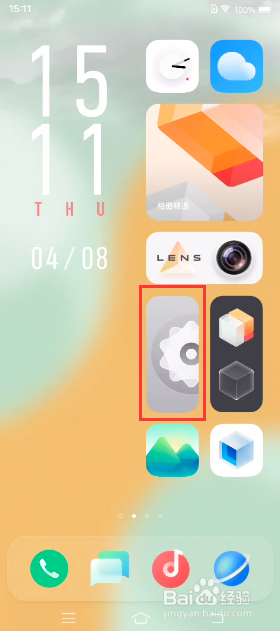
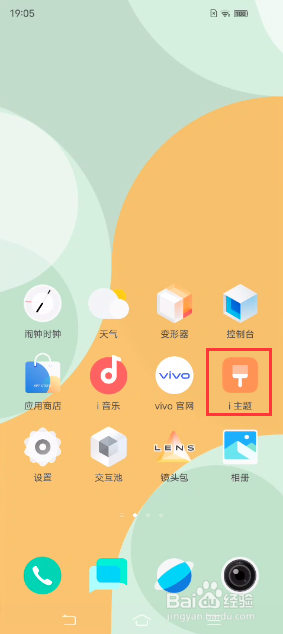
1、点击桌面“i主题”,进入后选择“我的”

iQOO Neo5如何设置行为壁纸

iQOO Neo5如何设置行为壁纸

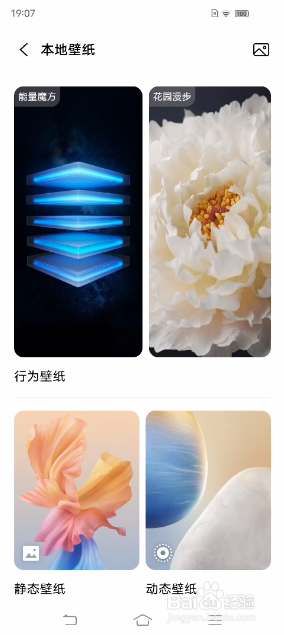
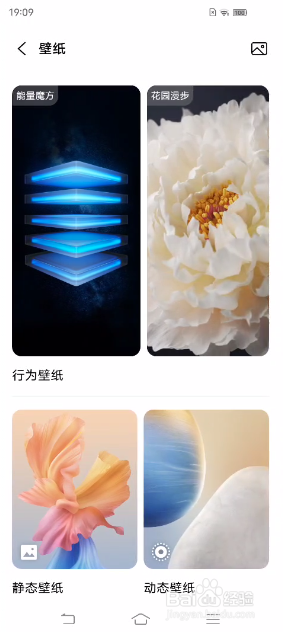
2、点击后找到“壁纸”,即可设置能量魔方、花园漫步等行为壁纸

iQOO Neo5如何设置行为壁纸

iQOO Neo5如何设置行为壁纸

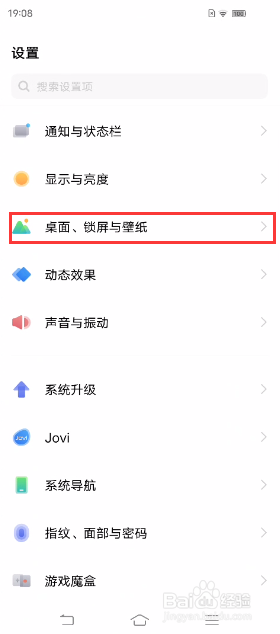
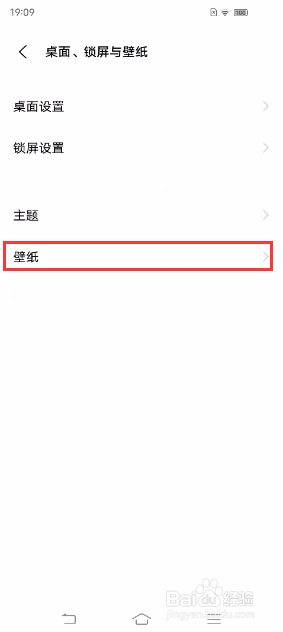
1、也可进入手机设置,找到并进入“桌面、锁屏与壁纸”,然后点击进入“壁纸”,即可设置能量魔方、花园漫步等行为壁纸
iQOO Neo5如何设置行为壁纸

iQOO Neo5如何设置行为壁纸

iQOO Neo5如何设置行为壁纸

iQOO Neo5如何设置行为壁纸

© 2026 一点资料
信息来自网络 所有数据仅供参考
有疑问请联系站长 site.kefu@gmail.com