1、1.首先打开任意PPT文件,选择顶部文件按钮

2、2.下拉菜单选择选项按钮,如图所示

3、3.进入选项对话框,如图所示:

4、4.对话框选择保存栏
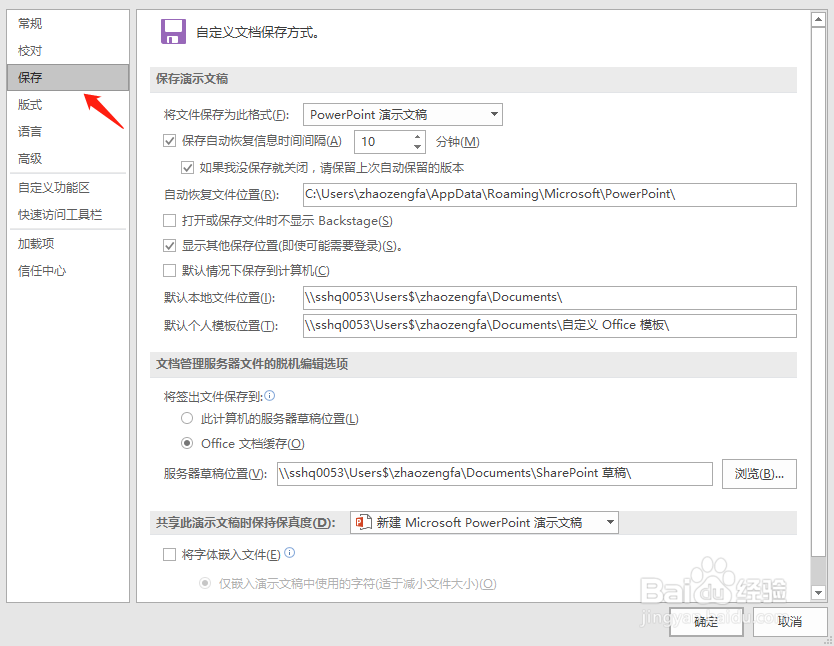
5、5.选择将文件保存为此格式下拉菜单的格式

6、6.选择确定按钮,我们自动保存的文件即为我们设定的格式

1、1.首先打开任意PPT文件,选择顶部文件按钮
2、2.下拉菜单选择选项按钮,如图所示
3、3.进入选项对话框,如图所示:
4、4.对话框选择保存栏
5、5.选择将文件保存为此格式下拉菜单的格式
6、6.选择确定按钮,我们自动保存的文件即为我们设定的格式