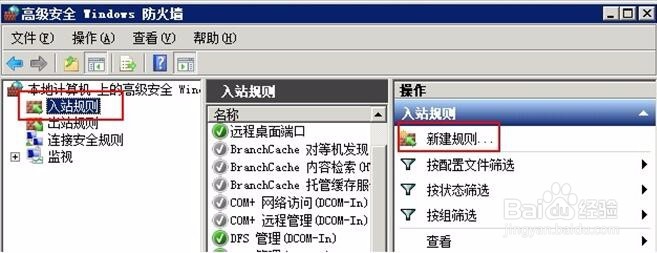
1、依次打开控制面板---系统和安全---Windows防火墙---高级设置。
打开入站规则—新建规则。
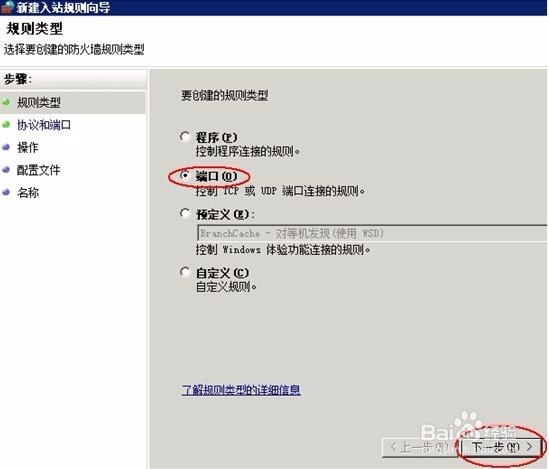
2、在新建入站规则向导窗口选择 “端口” ,点击下一步
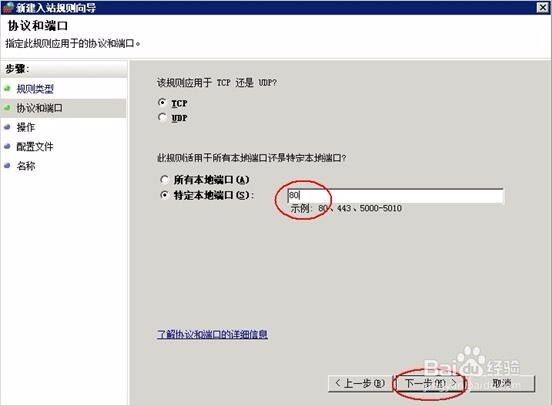
3、在特定本地端口输入框里输入 需要远程的端口号如“80” 点击下一步
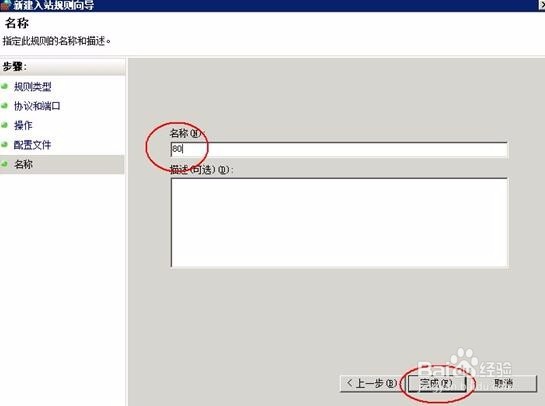
4、在名称备注一下点击完成
1、依次打开控制面板---系统和安全---Windows防火墙---高级设置。
打开入站规则—新建规则。
2、在新建入站规则向导窗口选择 “端口” ,点击下一步
3、在特定本地端口输入框里输入 需要远程的端口号如“80” 点击下一步
4、在名称备注一下点击完成