1、快捷键ctrl+alt+t打开终端窗口

2、更新系统资源
$sudo apt-get update

3、命令行安装gnome-session-flashback
$sudo apt-get install gnome-session-flashback

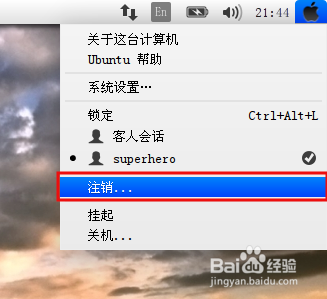
4、点击桌面的右上角 用户按钮 注销 用户

5、注销后进入登陆界面 选择gnome-session-flashback(compiuz) 登陆


6、现在我们看看ubunut的经典gnome2样式是不是出现了呢?

1、快捷键ctrl+alt+t打开终端窗口
2、更新系统资源
$sudo apt-get update
3、命令行安装gnome-session-flashback
$sudo apt-get install gnome-session-flashback
4、点击桌面的右上角 用户按钮 注销 用户
5、注销后进入登陆界面 选择gnome-session-flashback(compiuz) 登陆
6、现在我们看看ubunut的经典gnome2样式是不是出现了呢?