钉钉app怎么设置消息免打扰??

时间:2026-02-13 20:10:18

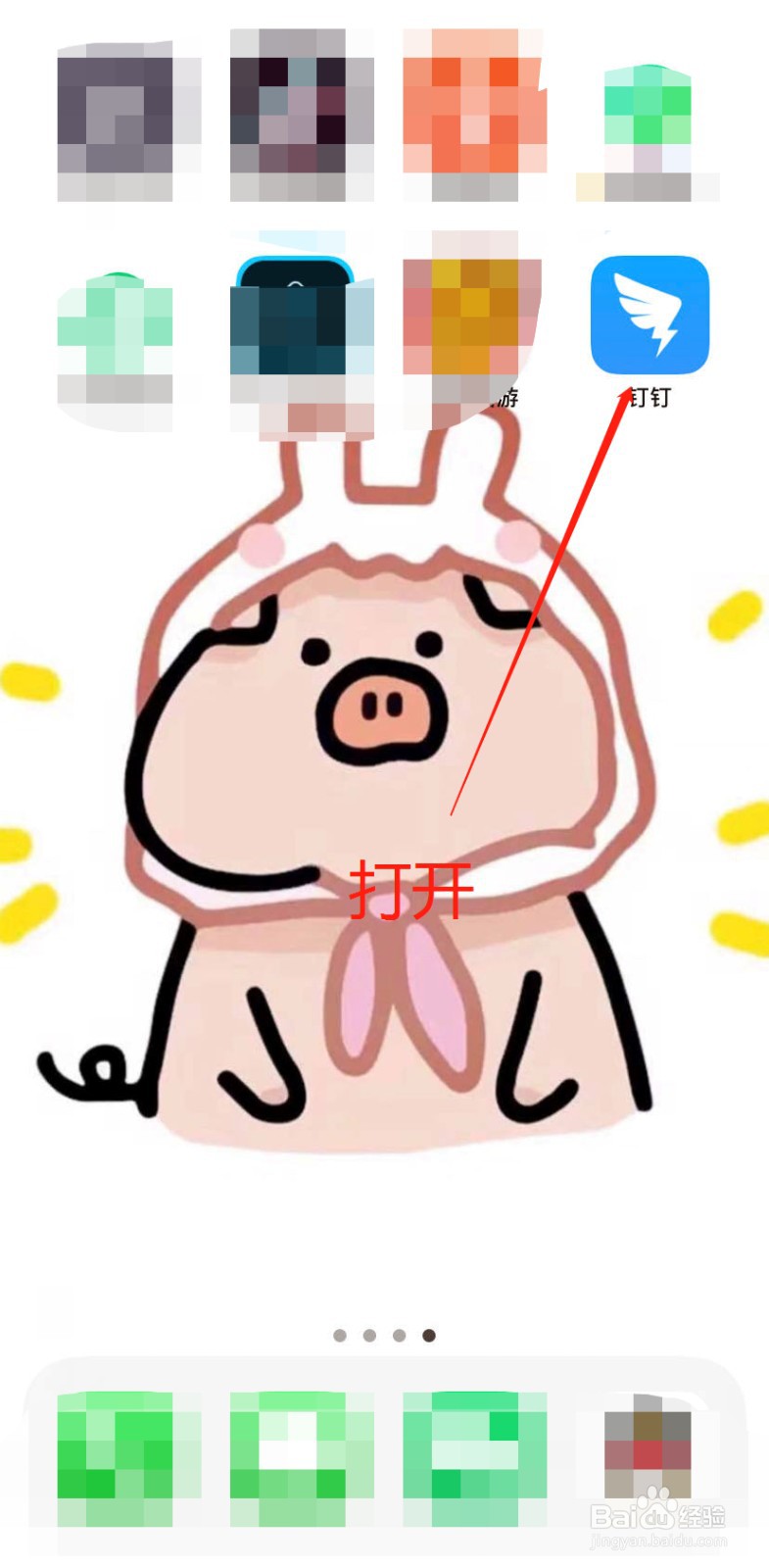
1、在手机上找到钉钉,并打开

钉钉app怎么设置消息免打扰??

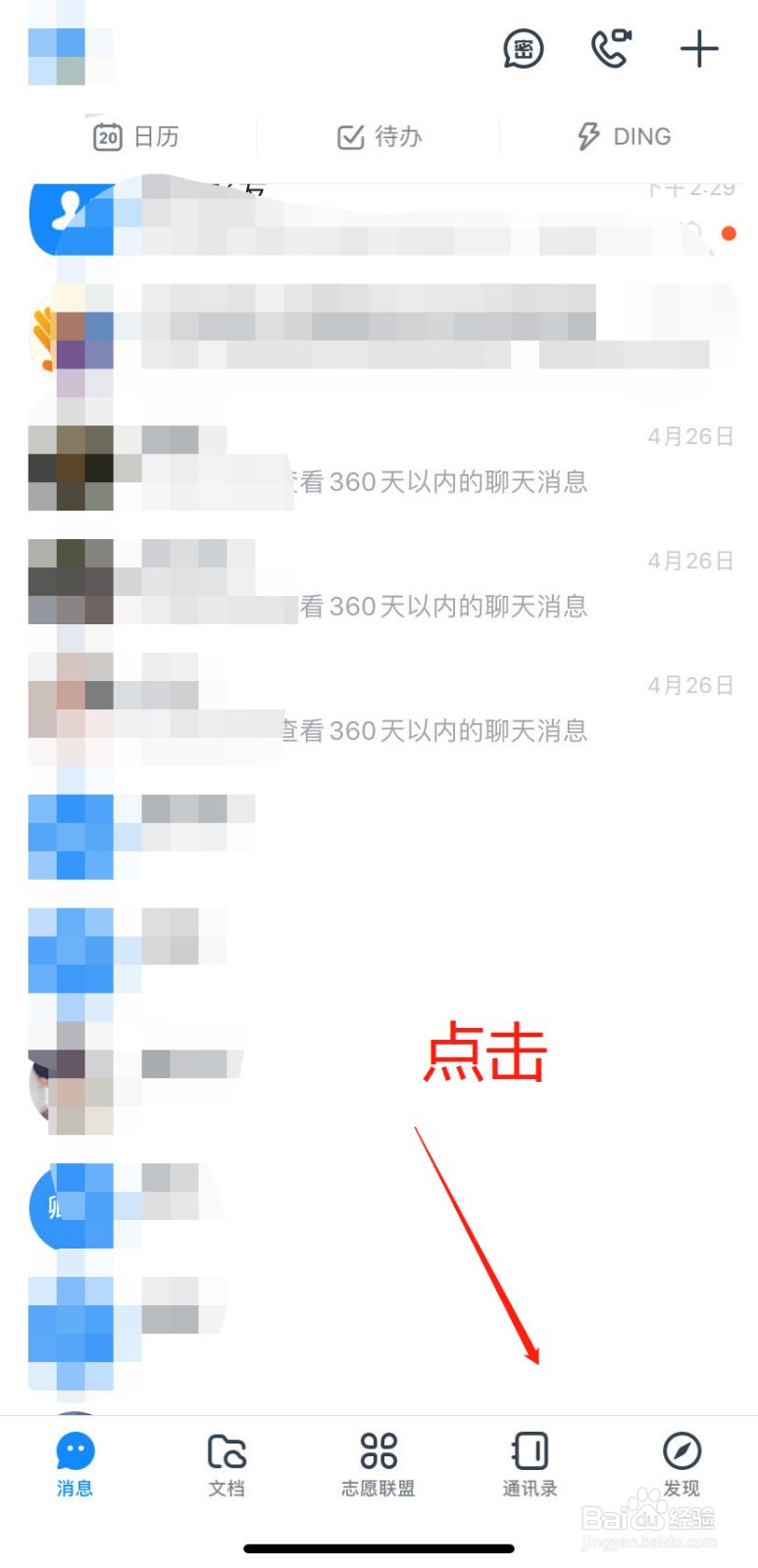
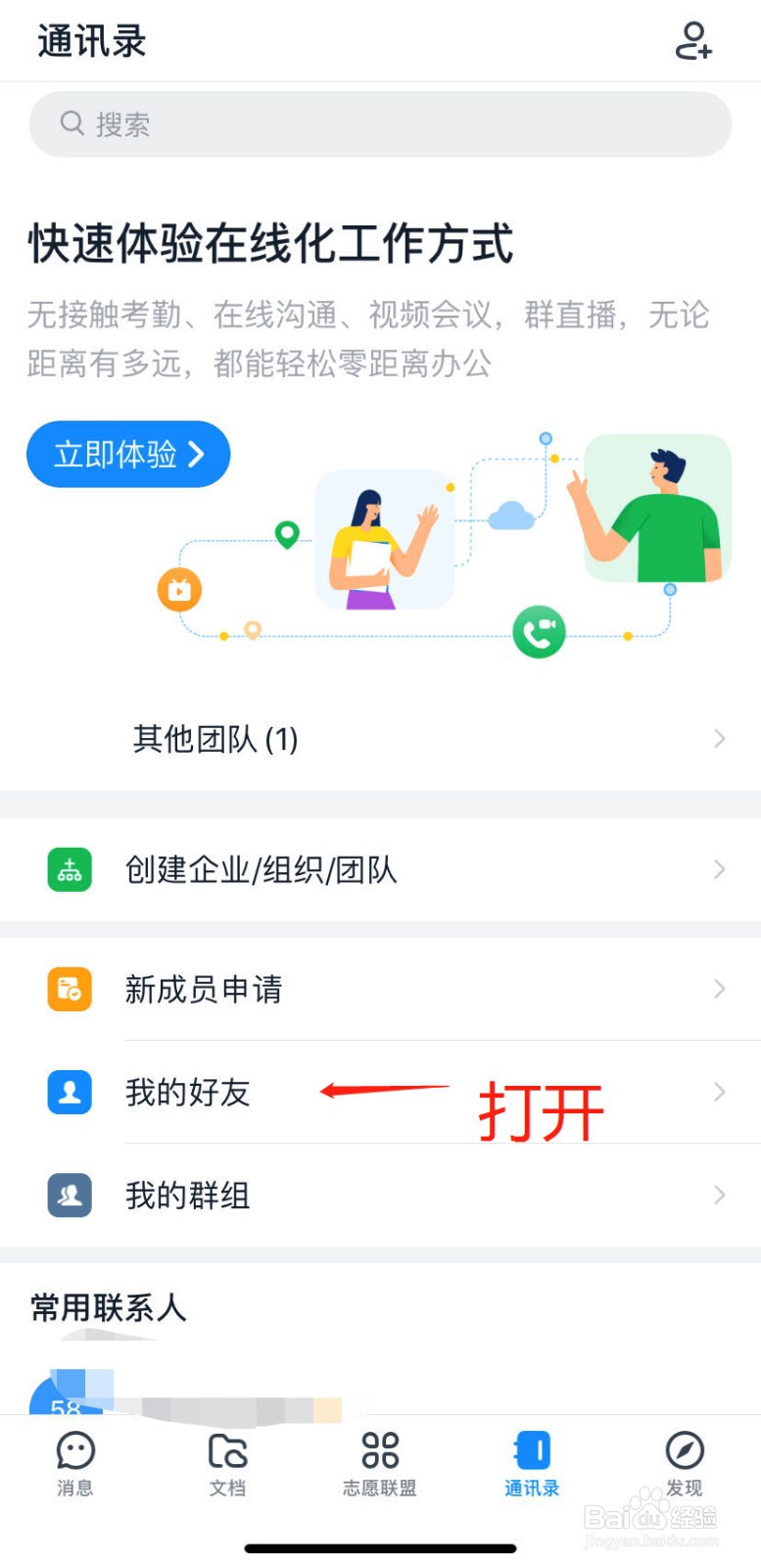
2、打开通讯录——我的好友

钉钉app怎么设置消息免打扰??

钉钉app怎么设置消息免打扰??

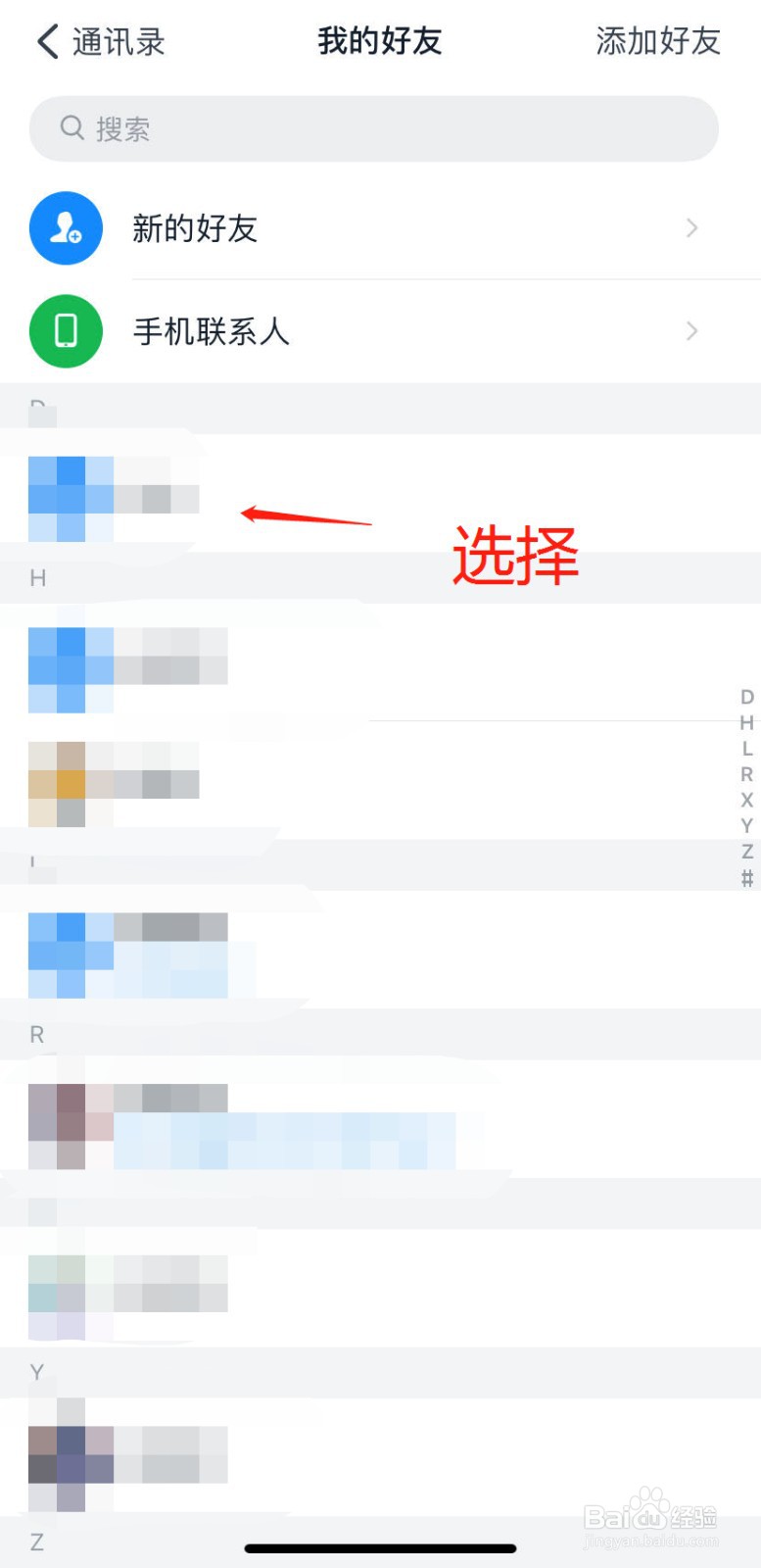
3、选择要设置的人,

钉钉app怎么设置消息免打扰??

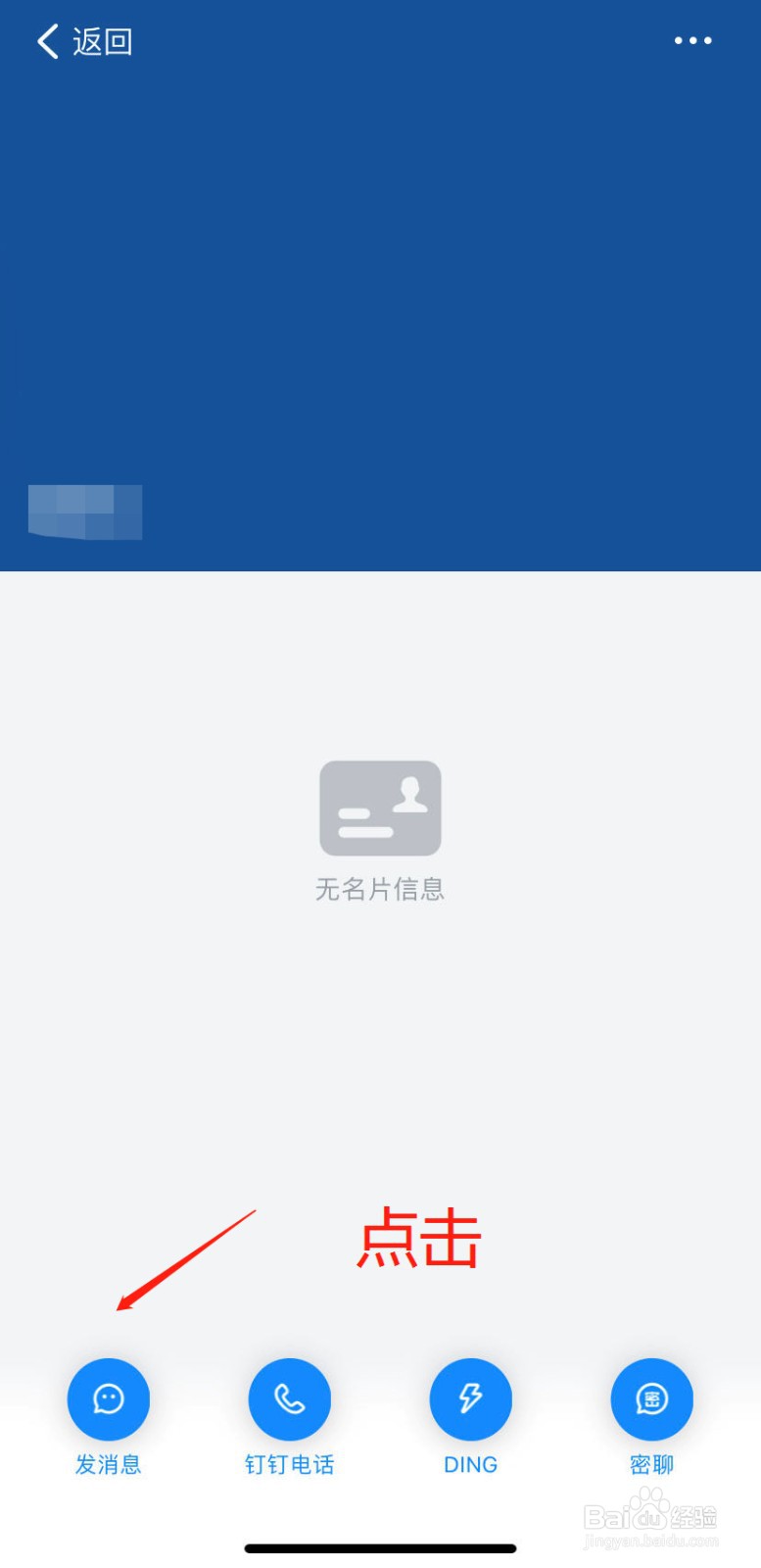
4、点击发消息

钉钉app怎么设置消息免打扰??

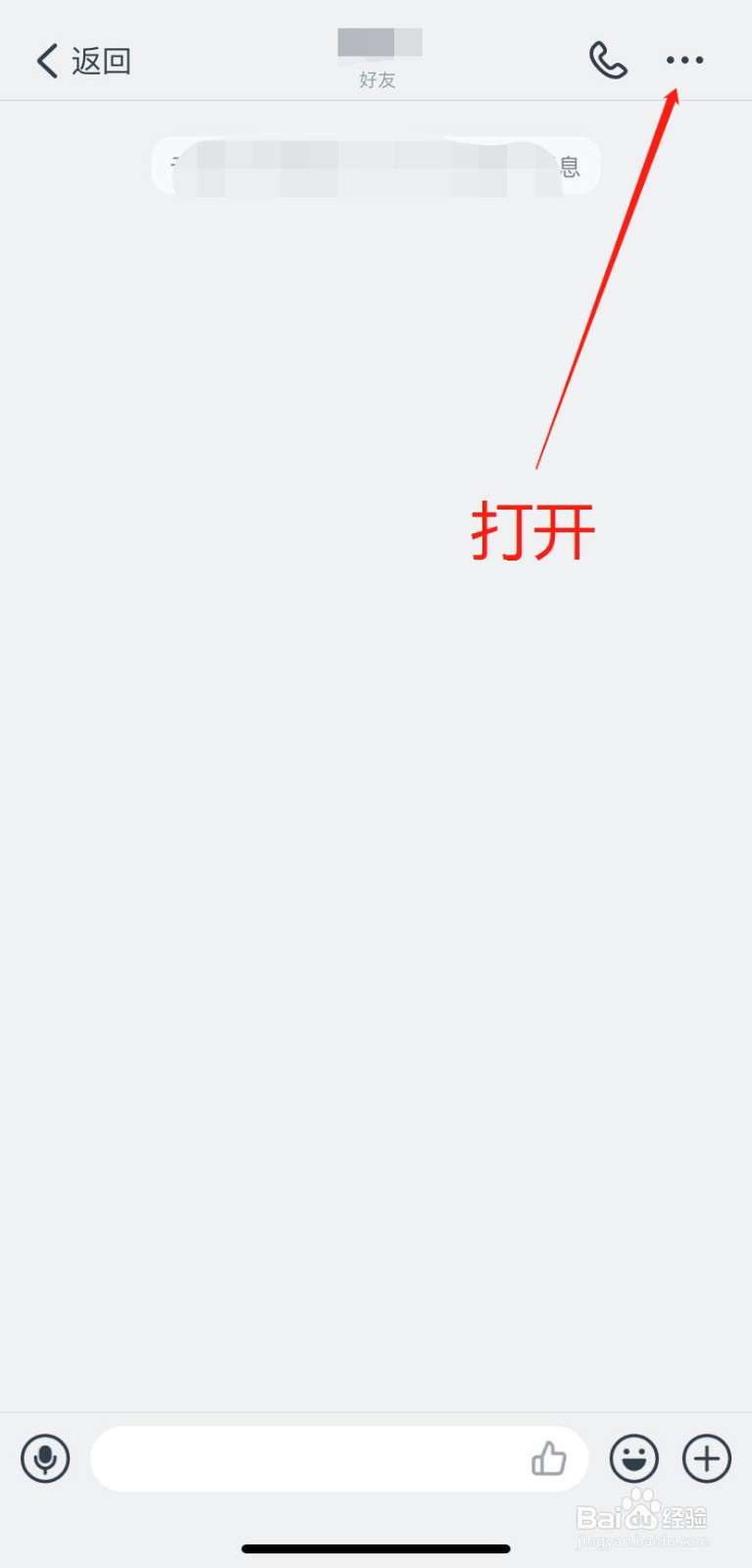
5、点击聊天页面右上角“。。。”

钉钉app怎么设置消息免打扰??

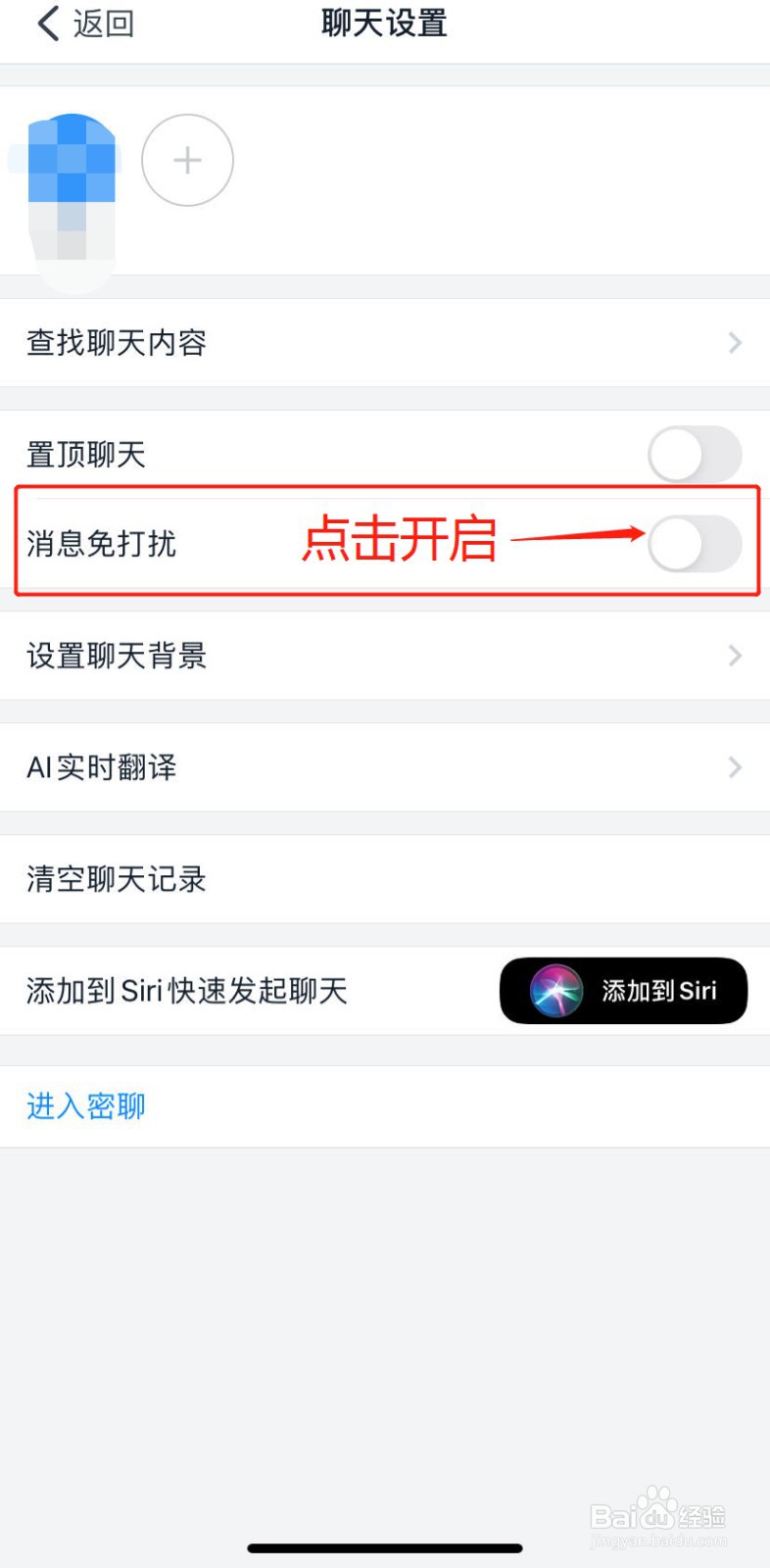
6、找到消息免打孔,点击开启

钉钉app怎么设置消息免打扰??

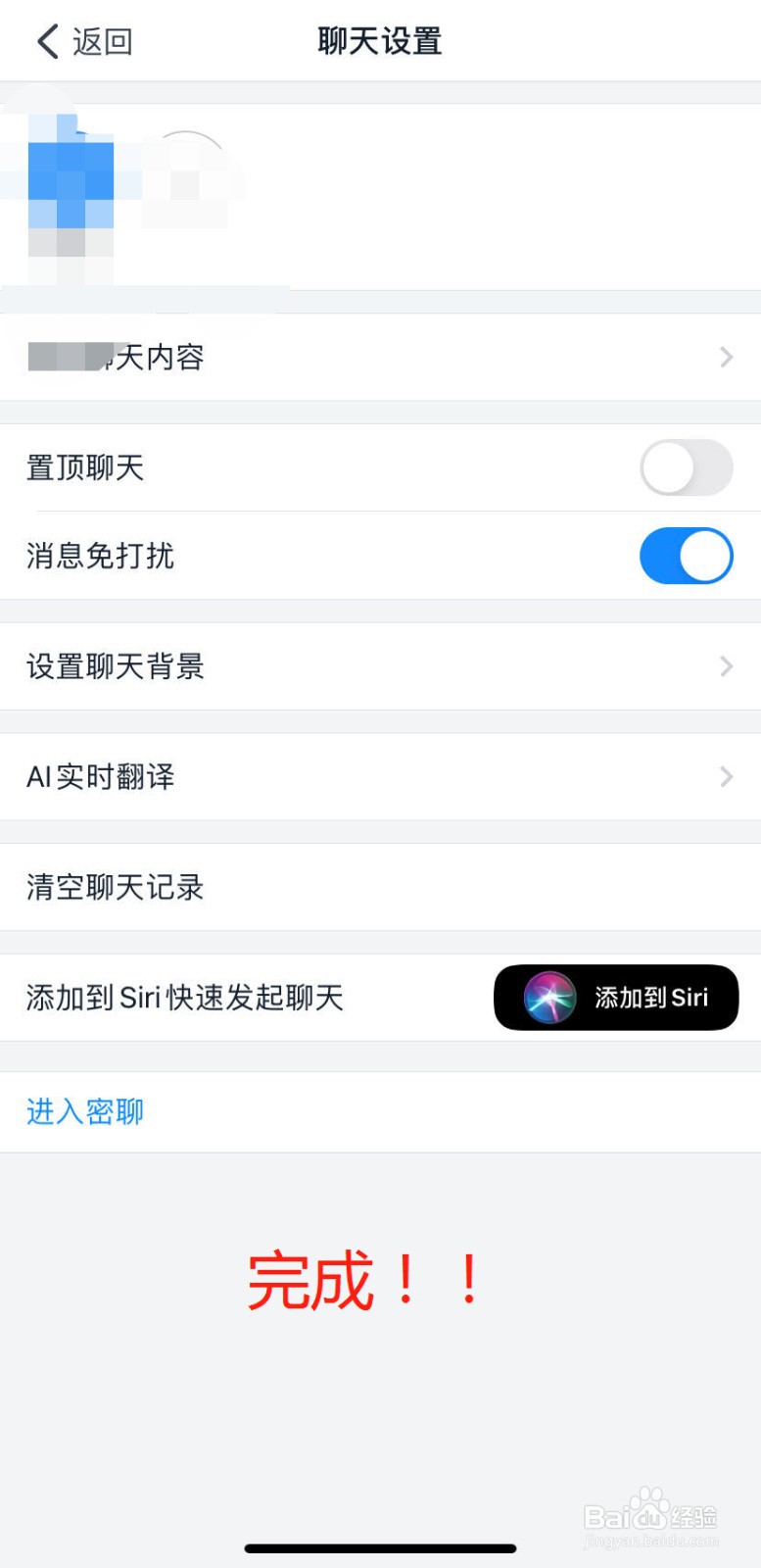
7、完成,这样他发消息来的时候,就只是显示小红点,不会再声音弹窗提示了。
钉钉app怎么设置消息免打扰??

© 2026 一点资料
信息来自网络 所有数据仅供参考
有疑问请联系站长 site.kefu@gmail.com