1、官网下载地址: https://www.vandyke.com/download/index.html
点击: Next
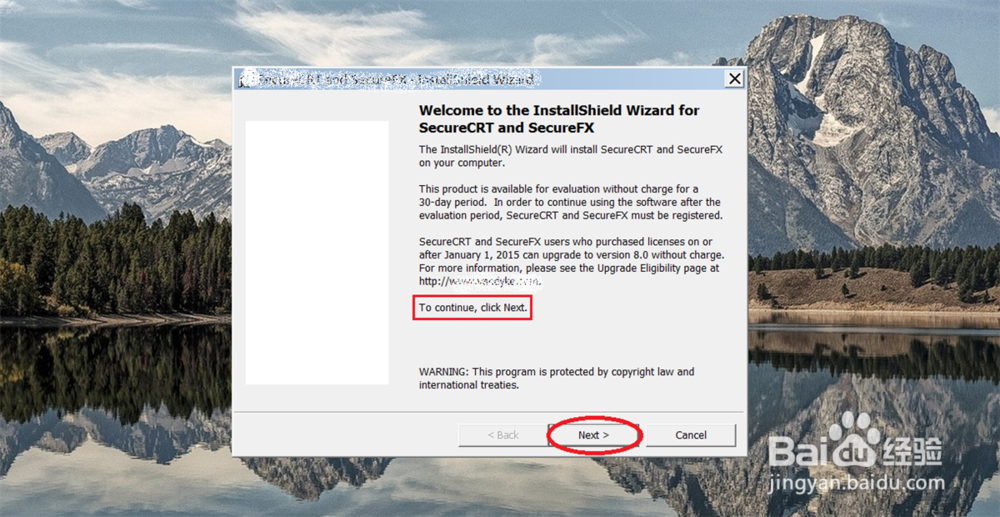
2、点击: Next

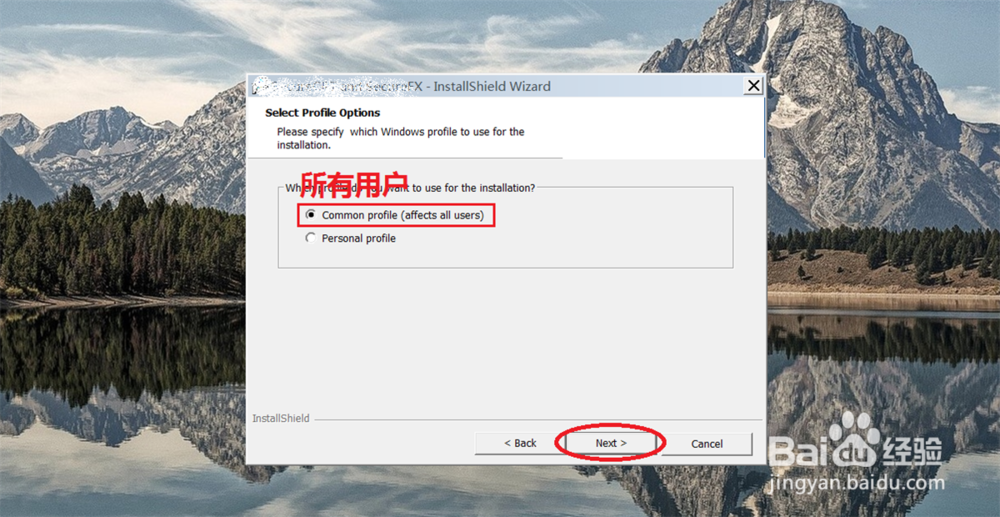
3、点击: Next
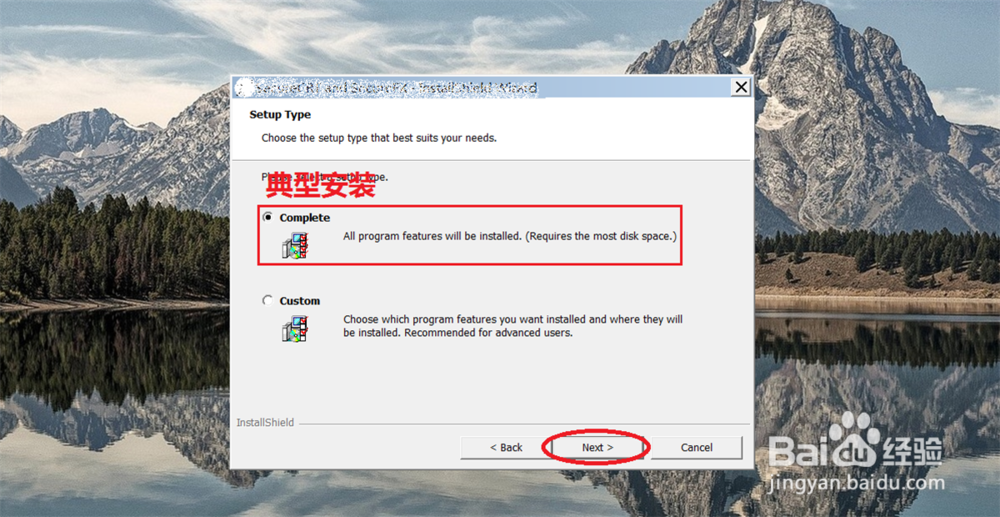
4、选择: 典型安装, 点击: Next
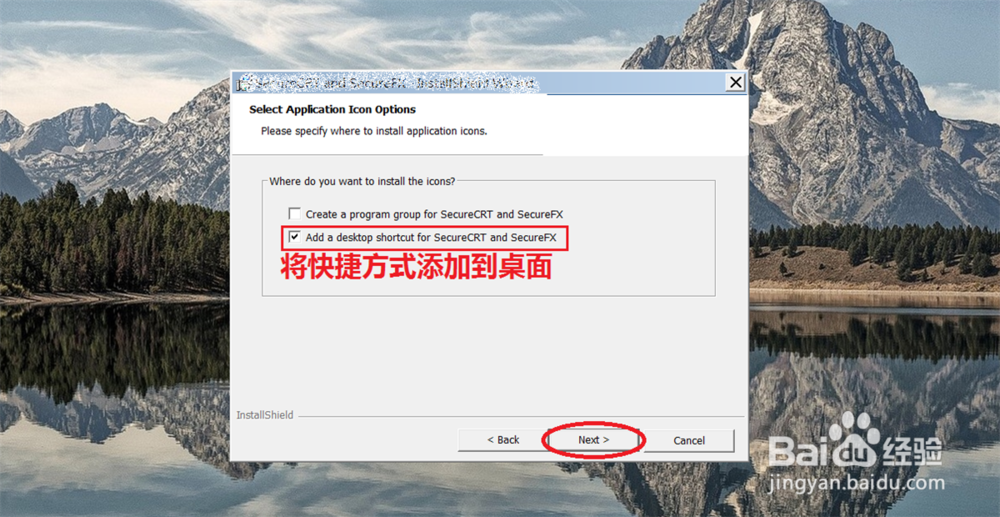
5、将快捷方式添加到桌面, 点击: Next
6、点击: Install

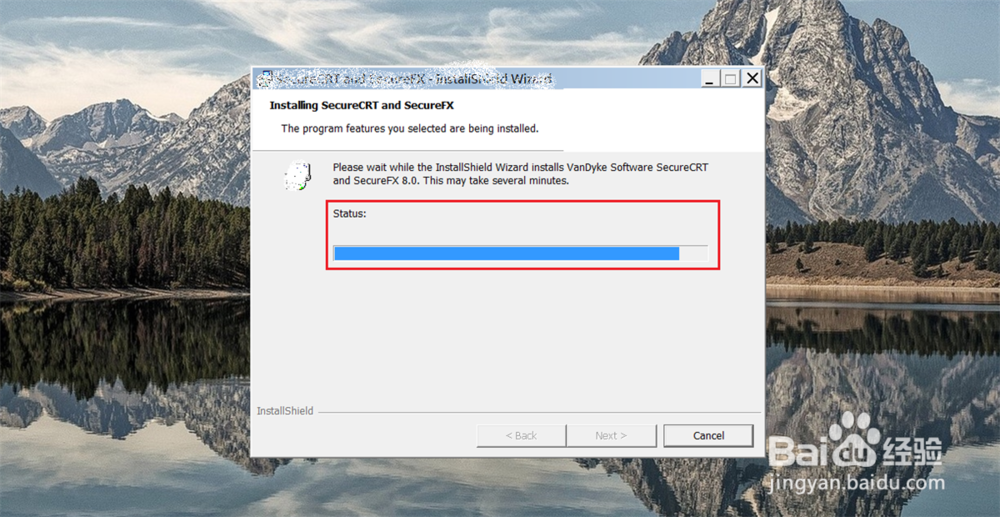
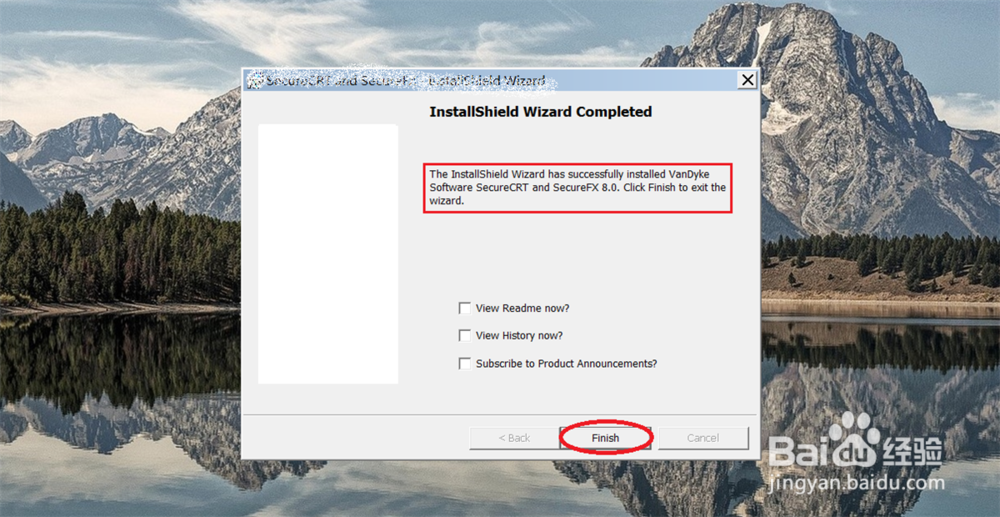
7、点击: Finish
1、官网下载地址: https://www.vandyke.com/download/index.html
点击: Next
2、点击: Next
3、点击: Next
4、选择: 典型安装, 点击: Next
5、将快捷方式添加到桌面, 点击: Next
6、点击: Install
7、点击: Finish