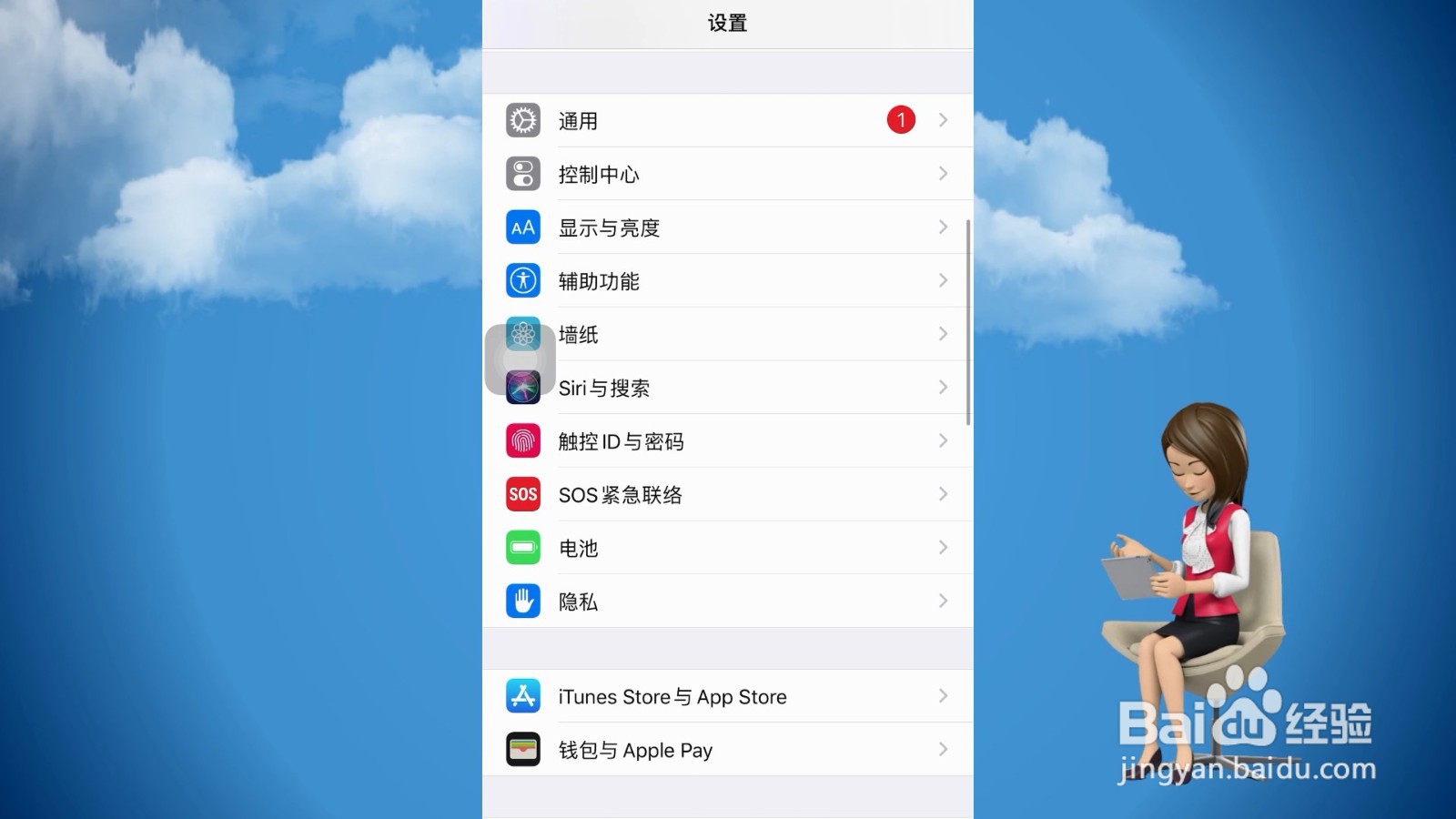
1、点击iTunes store 与Appstore
打开进入苹果手机设置界面,向下滑动找到iTunes store 与App store 并点击。
2、选择Apple ID
翻转至下一个新的页面,在最上方位置找到Apple ID并点击。

3、
点击退出登录
跳转至新的页面,在弹出的窗口点击退出登录即可注销手机id。
1、点击iTunes store 与Appstore
打开进入苹果手机设置界面,向下滑动找到iTunes store 与App store 并点击。
2、选择Apple ID
翻转至下一个新的页面,在最上方位置找到Apple ID并点击。
3、
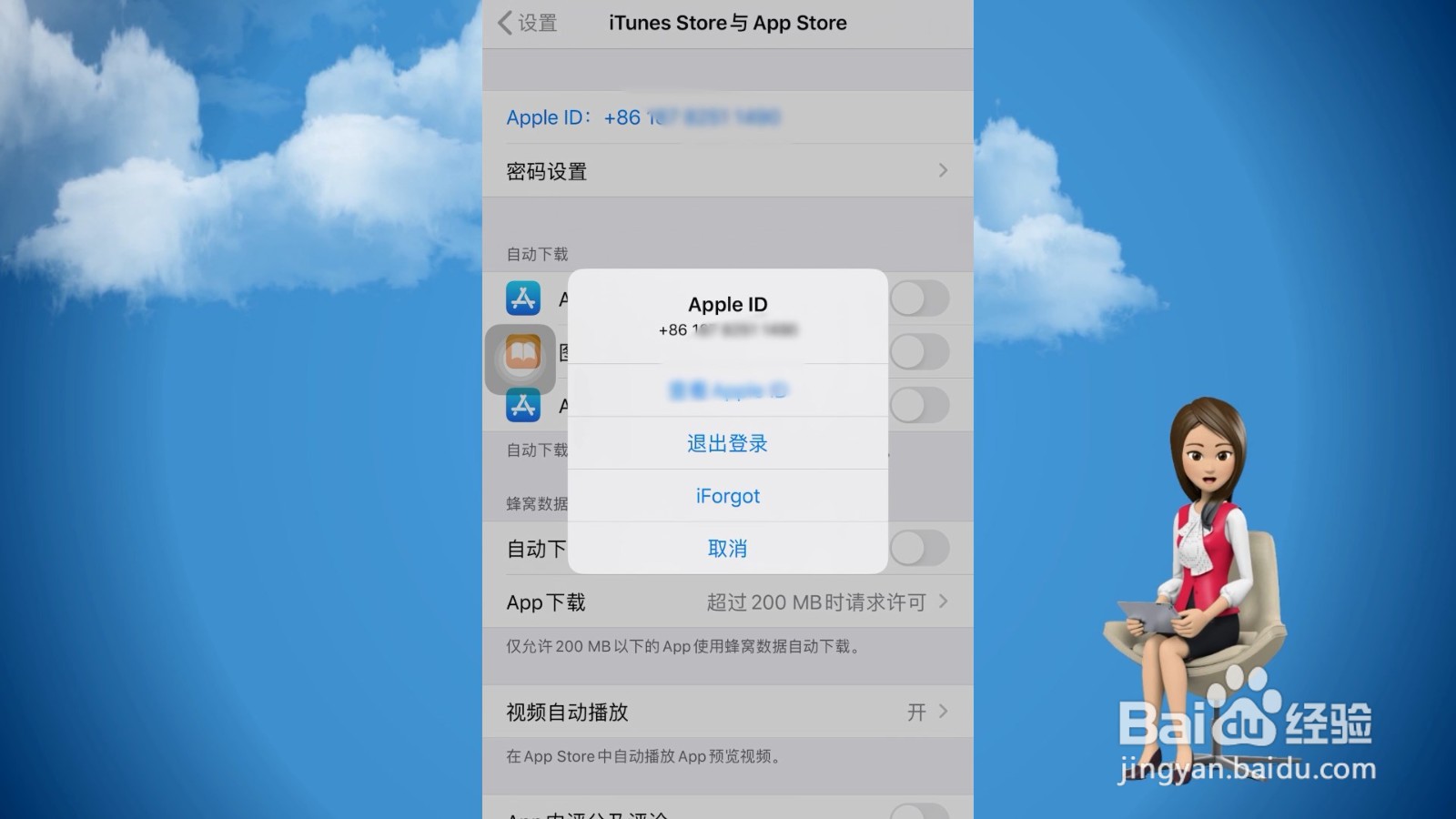
点击退出登录
跳转至新的页面,在弹出的窗口点击退出登录即可注销手机id。