1、进入亚马逊后台并登录卖家账号

2、点击左上方Settings按钮》Your Information & Policies

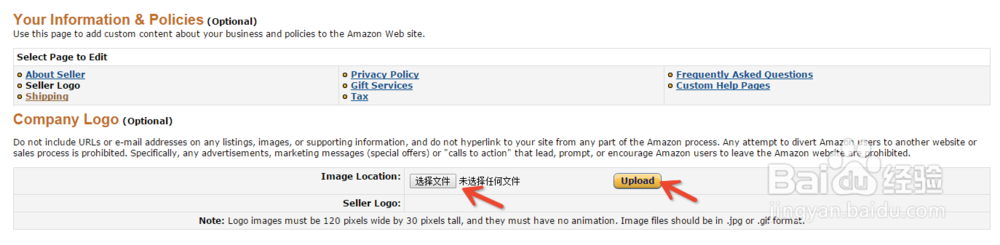
3、点击Seller Logo

4、进行LOGO图案的上传或者更改。
注意:LOGO图片像素必须是宽120,高30的比例,并且不可包含动画,可接受.jpg 及.gif的图片格式
Note: Logo images must be 120 pixels wide by 30 pixels tall, and they must have no animation. Image files should be in .jpg or .gif format.
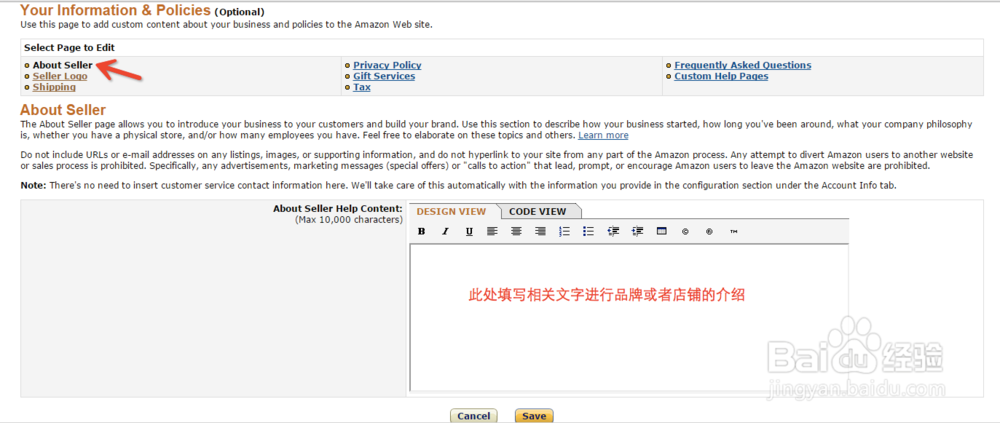
1、在Seller Logo上方点击About Seller进行相关文字的撰写或编辑更改