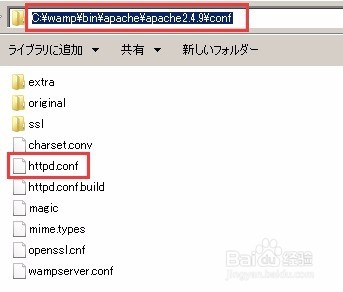
1、找到Wamp安装目录下,apache的配置文件,并打开,如下图:
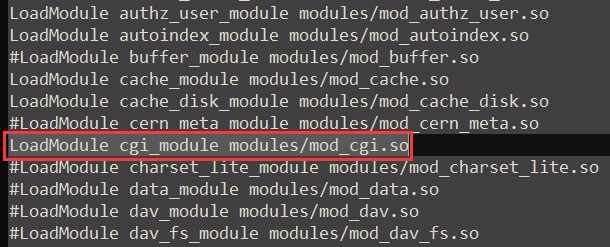
2、到找配置文件中的以下行,把行前面的#去掉。
LoadModule cgi_module modules/mod_cgi.so
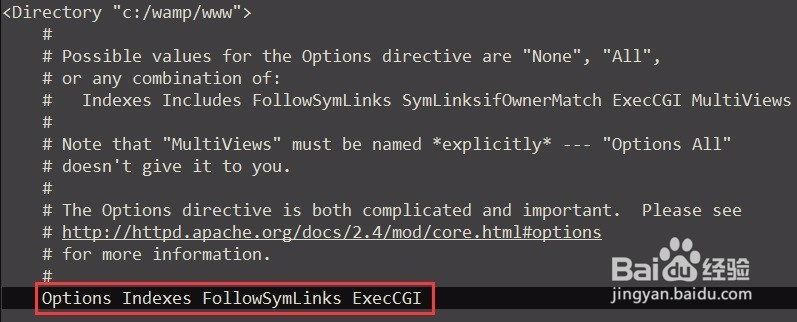
3、到找配置文件中的以下行,在FollowSymLinks后添加ExecCGI关键字
Options Indexes FollowSymLinks
4、到久戴找配置文件中的以下行,
# AddHandler allows you to map certain file extensions to "handlers":
把在此游仗行下部的AddHandler cgi-script所在行,变成
AddHandler cgi-script .cgi .py
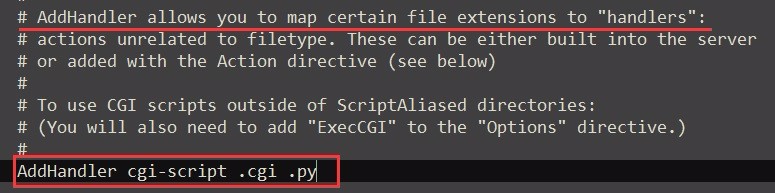
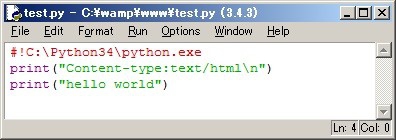
5、启民帮矿动wamp。在wamp中的www目录下编写一个名为test.py的文件。内容如下(第1行指定了你的python安装所在路径,这一行不能少):
#!C:\Python34\python.exe
print("Content-type:text/html\n")
print("hello world")
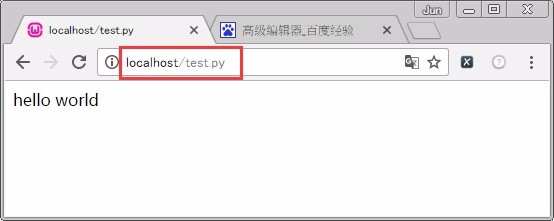
6、在浏览器中输入对应的URL,即可看到从python文件中输出的结果。