1、部署两台centos7系统:
192.168.1.8作为ansible节点
192.168.1.4作为服务节点

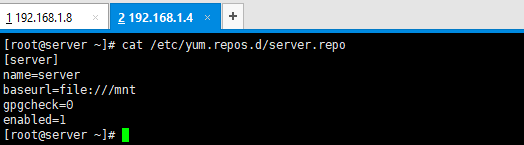
2、在服务节点编写yum配置文件:
[server]
name=server
baseurl=file:///mnt
gpgcheck=0
enabled=1
3、在服务节点准备yum源

4、在ansible节点编写yml脚本:
---
- name: install
hosts: 192.168.1.4
tasks:
- name: install http #安装
yum:
name: httpd
state: latest
- name: start httpd #启动服务
service:
name: httpd
state: started
- name: touch index file #定义测试页面
shell: echo "install httpd" > /var/www/html/index.html

5、执行yml脚本

6、从服务节点确认服务已安装成功并已启动

7、从ansible节点访问服务节点,确认访问内容是定义的内容,与预期一致,httpd服务安装成功
