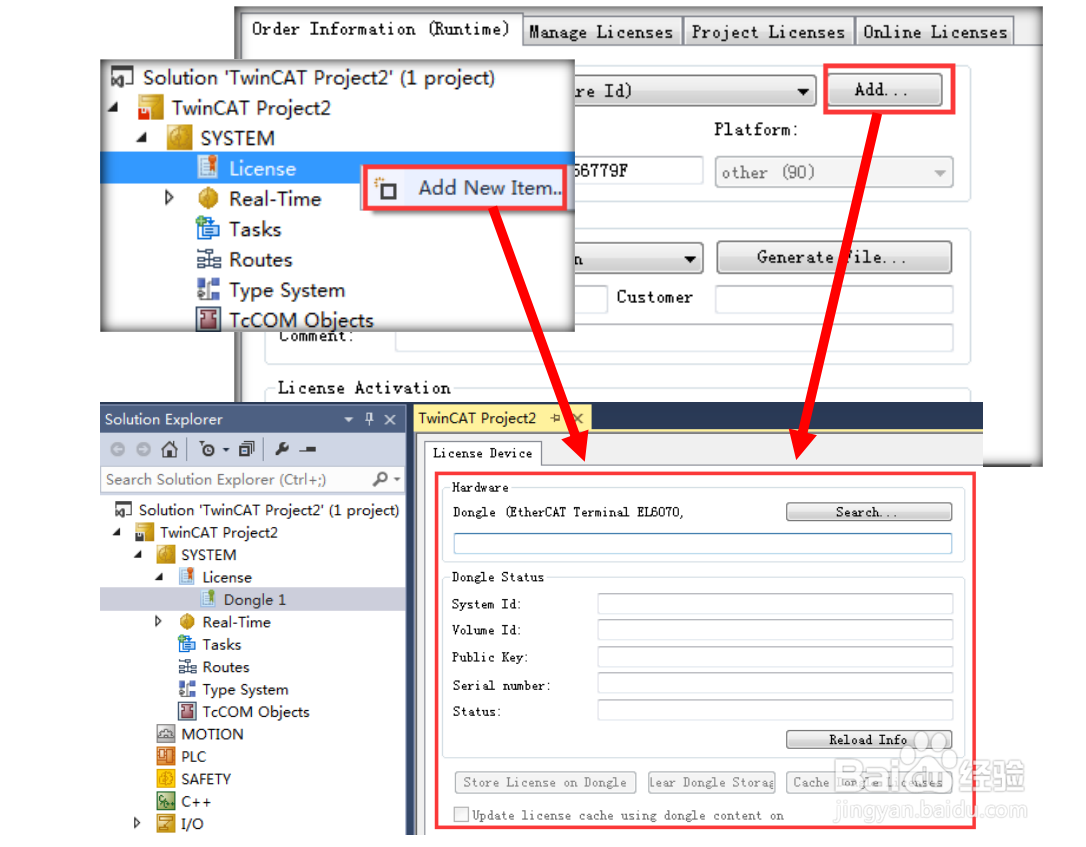
1、首先需要在 license 中添加一个 dongle,可以右键 license 进行添加,也可以直接在licenseOrder Information 中点击 Add 完成添加
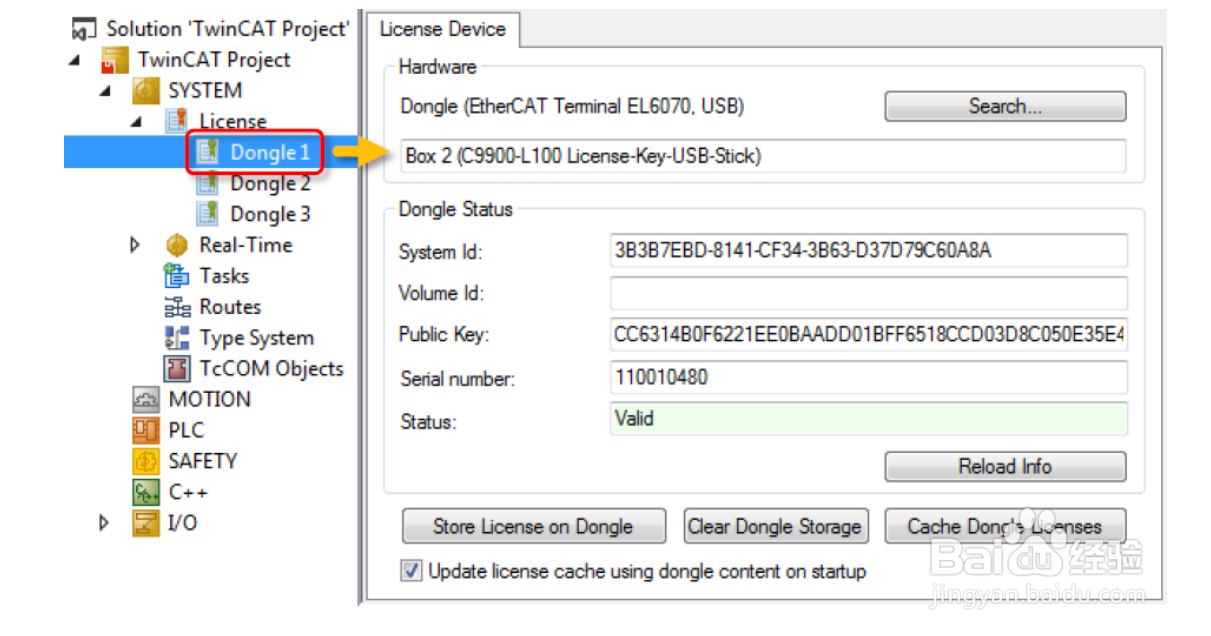
2、随后点击 Search 选择已经扫描到的 Dongle(也可同时配置多个 Dongle)
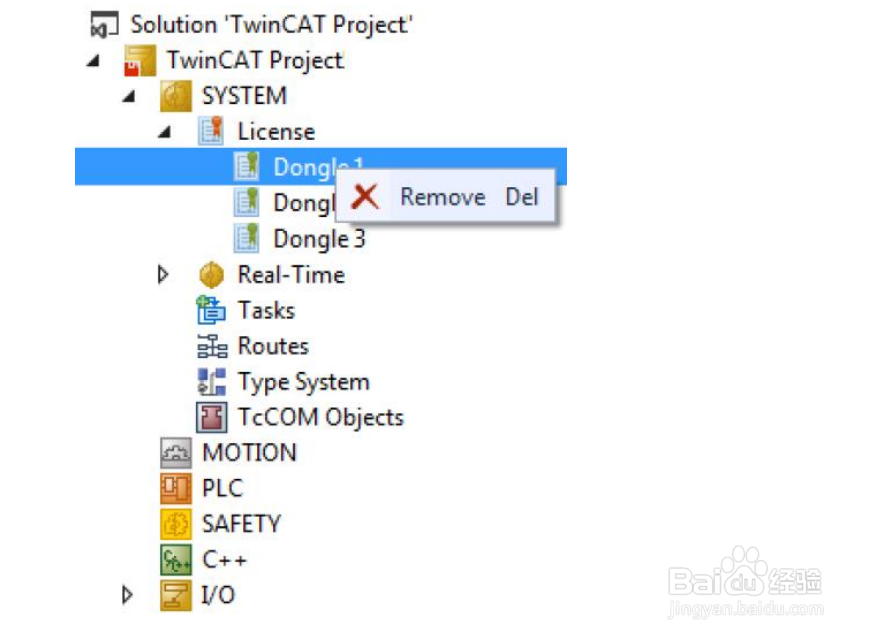
3、通过右键 Dongle 也可以删除
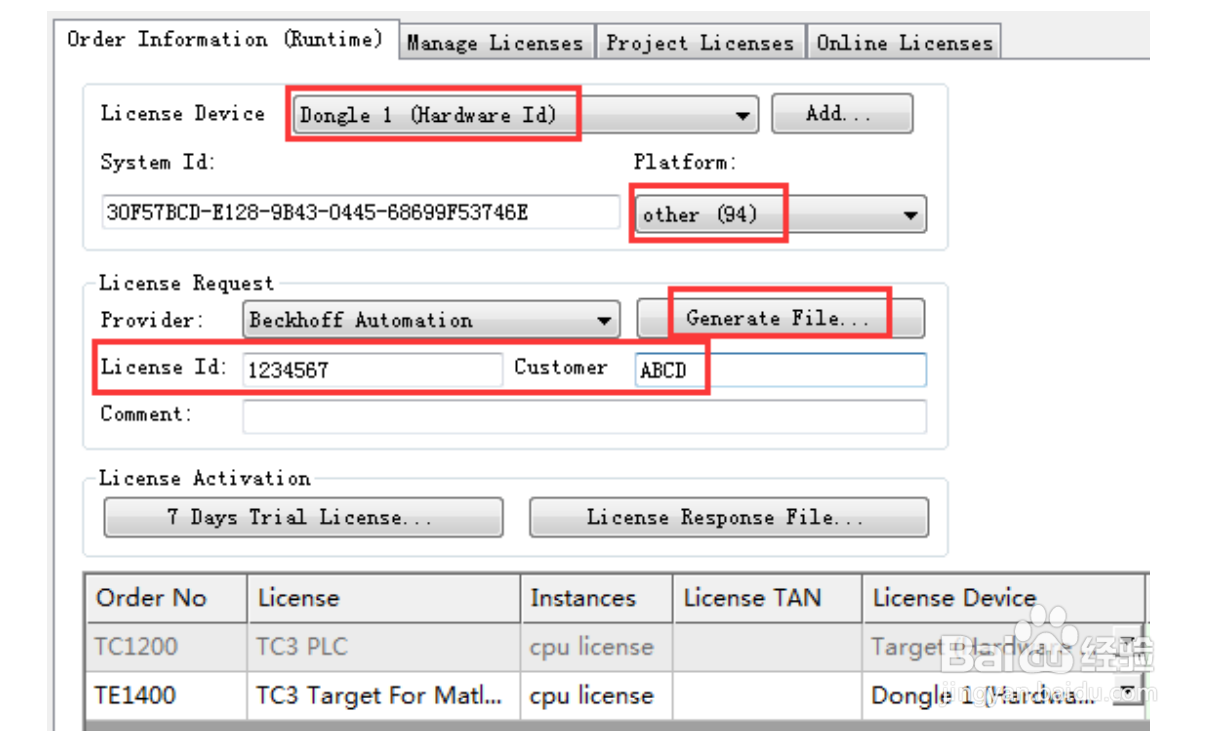
4、回到 Order Information,可以针对所勾选的授权指定其激活在什么硬件设备中(Dongle还是 EPC/IPC),选中任意授权都可以在 license Device 下拉框选择 Target(Hardwar Id)还是Dongle1(Hardware Id)
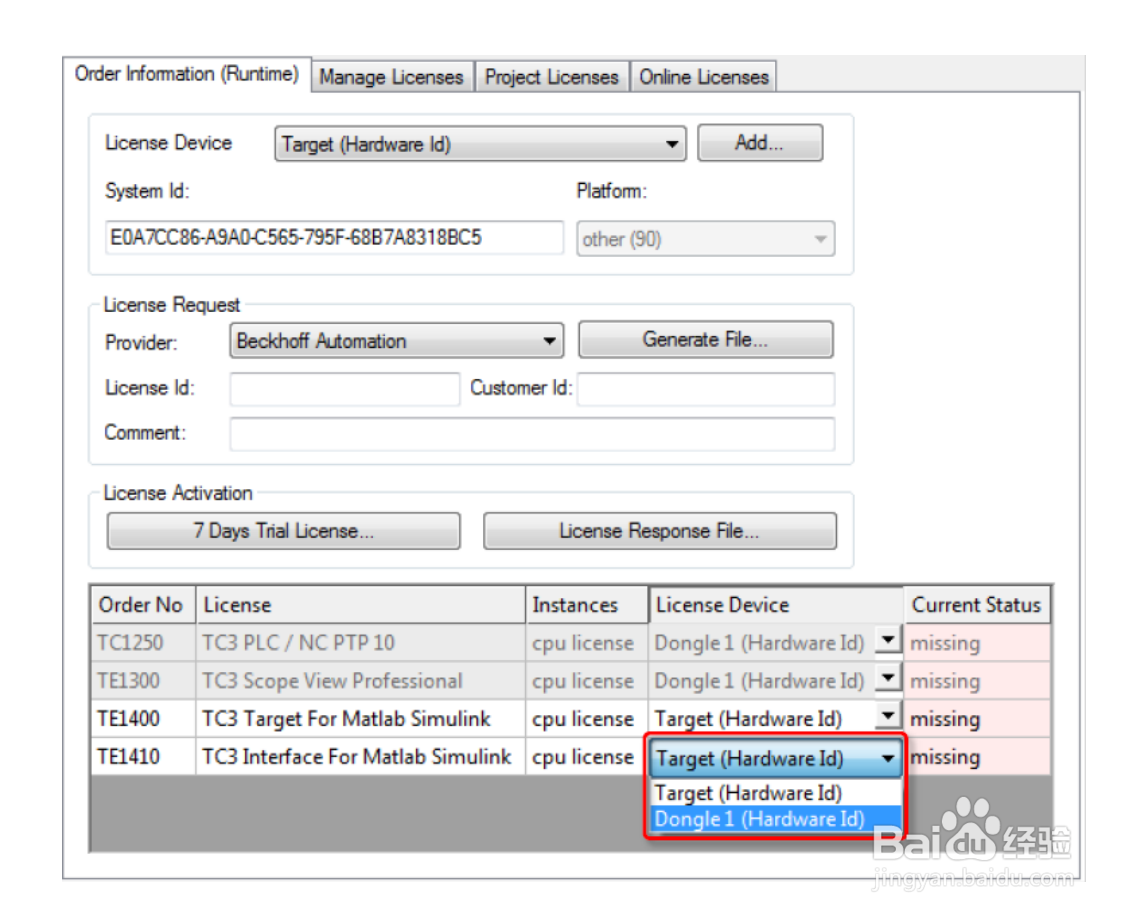
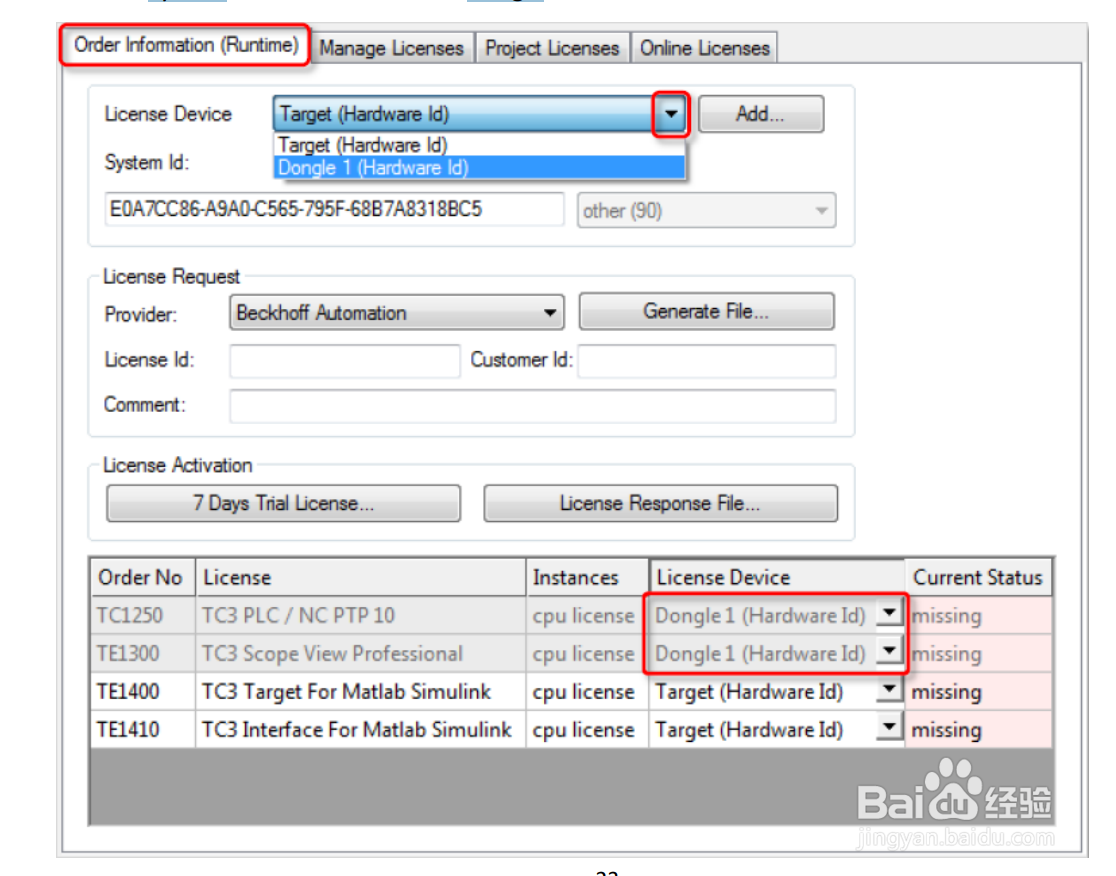
5、在 Order Information 最上面的 License Device 中也选择 Dongle1(Hardware Id),这样就可以把 System Id 从控制器切换到 Dongle
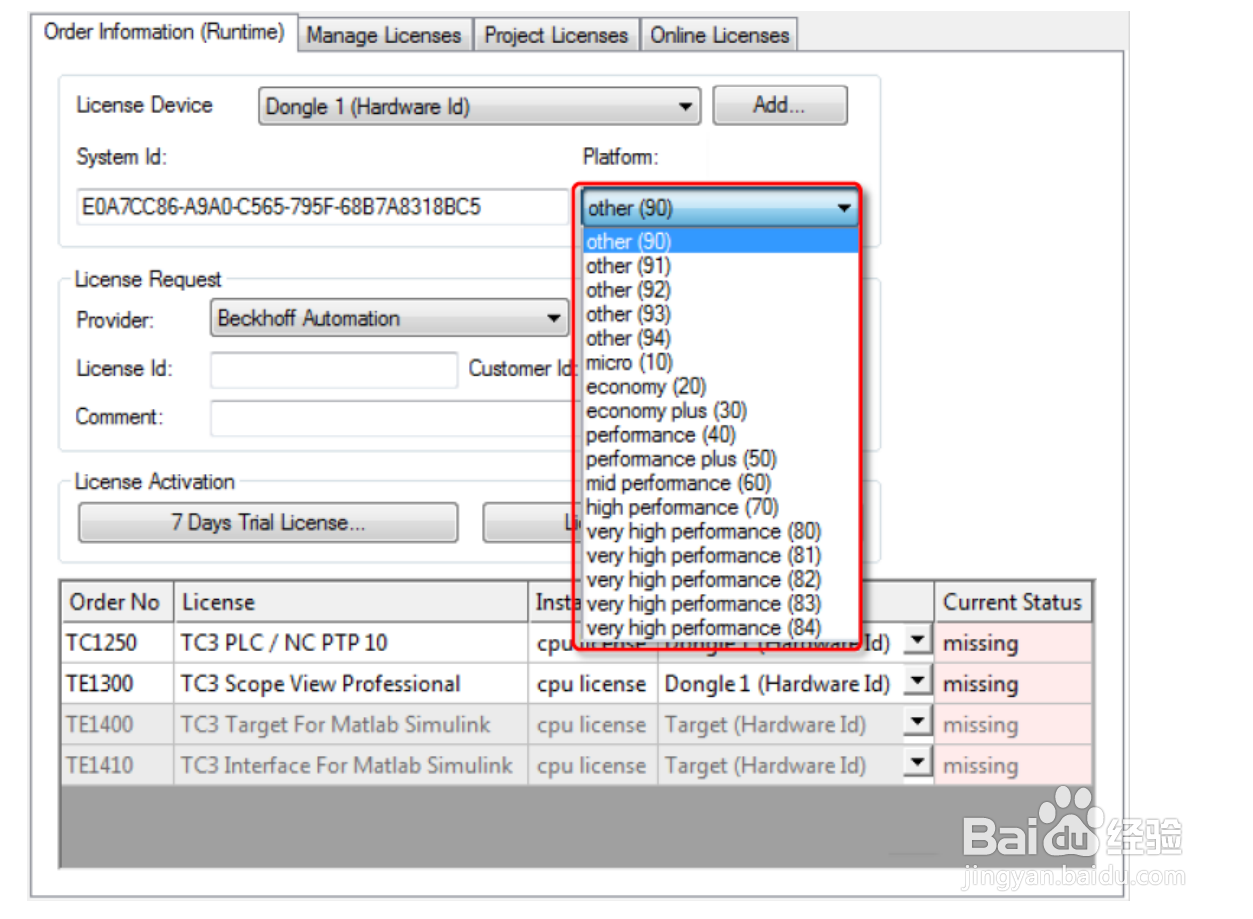
6、新版本在配置 dongle,尤其是 platform 十分方便,可以通过下拉框选择所购买的等级。
7、最后输入 License Id,点击 Generate File 生成授权申请文件发送给固定邮箱,就可以得到授权响应文件