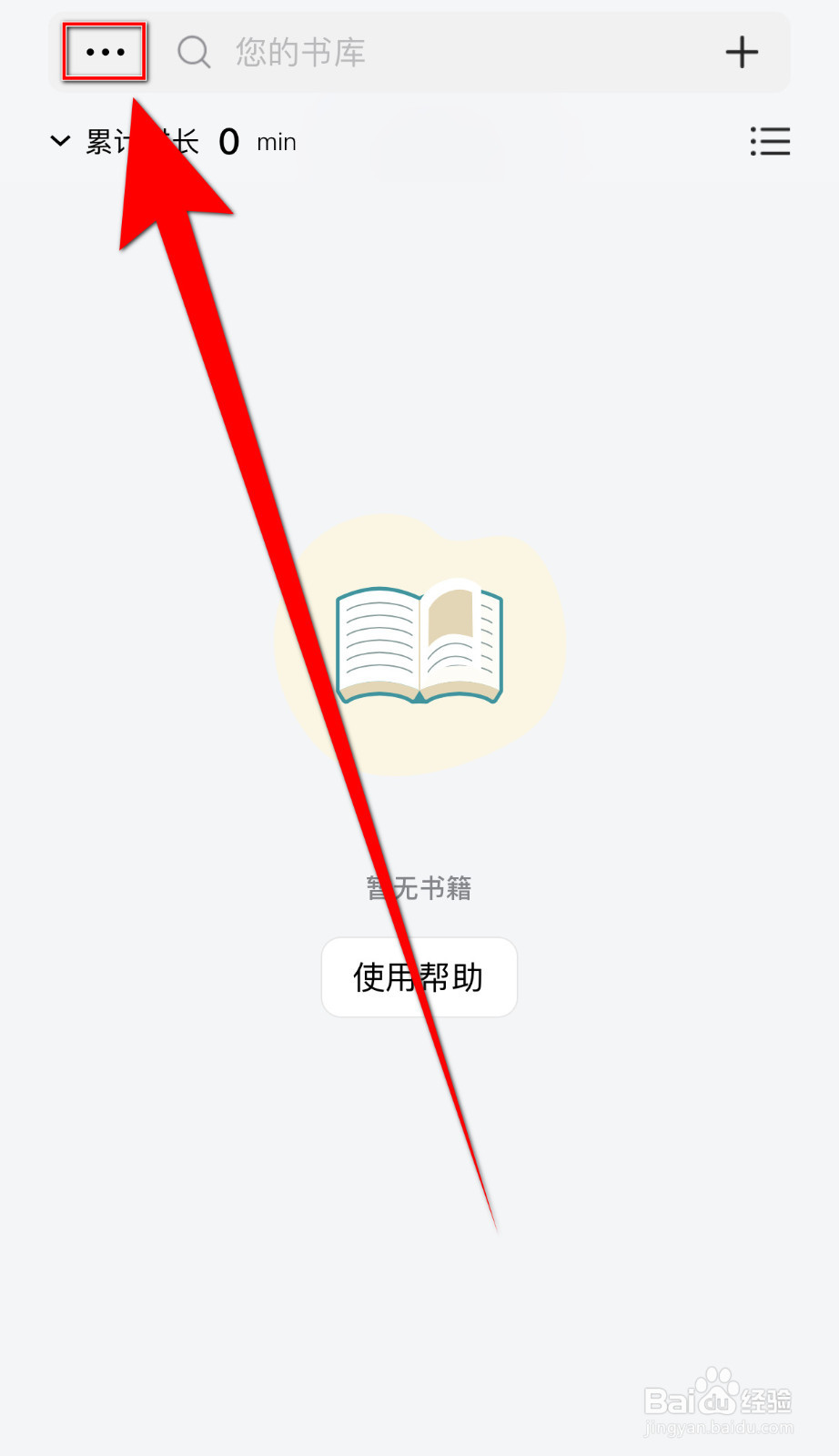
1、手机打开【PureLibro】App,PureLibro主界面点击左上角的【…】打开个人信息界面
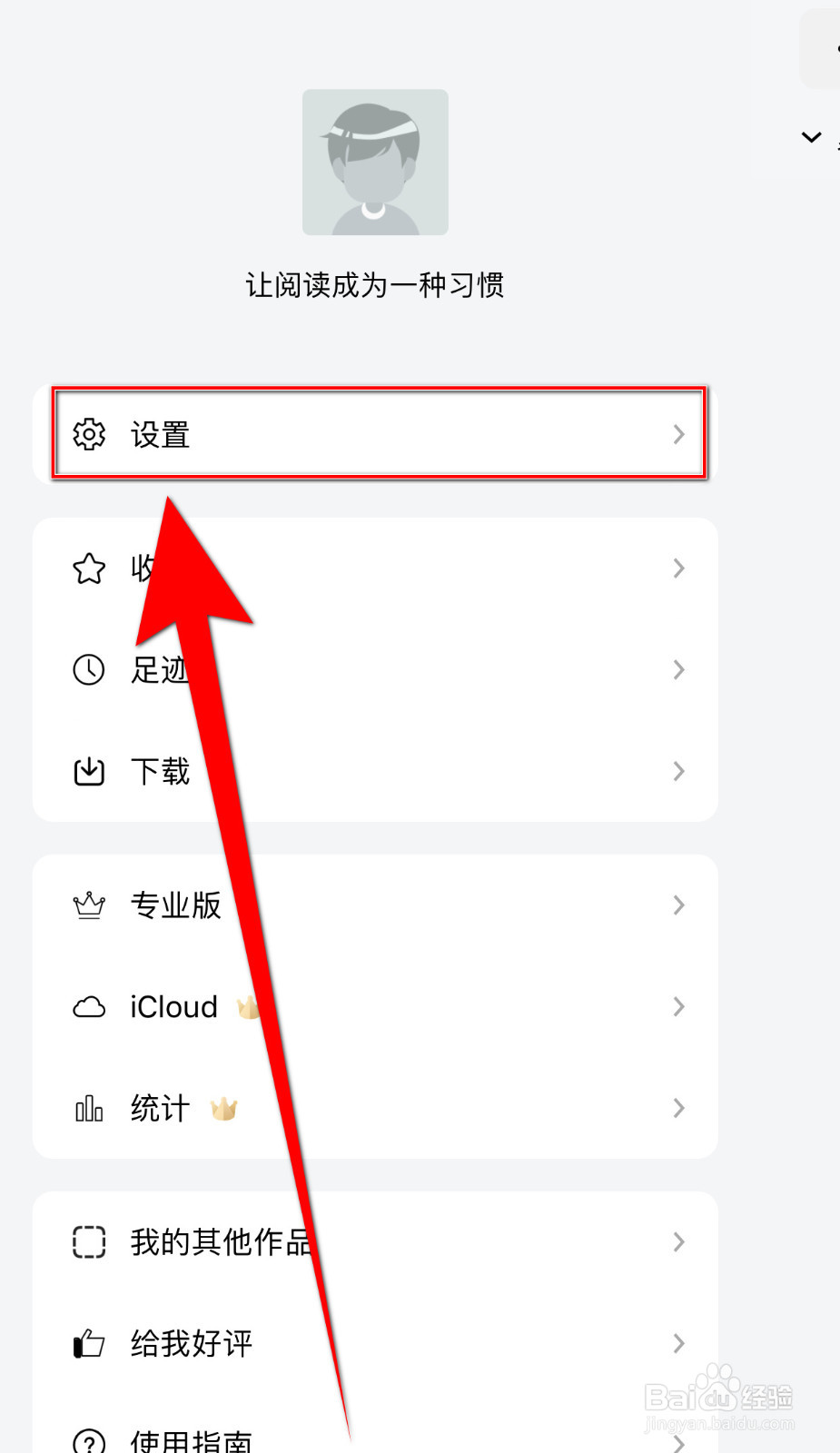
2、个人信息界面点击【设置】打开设置界面
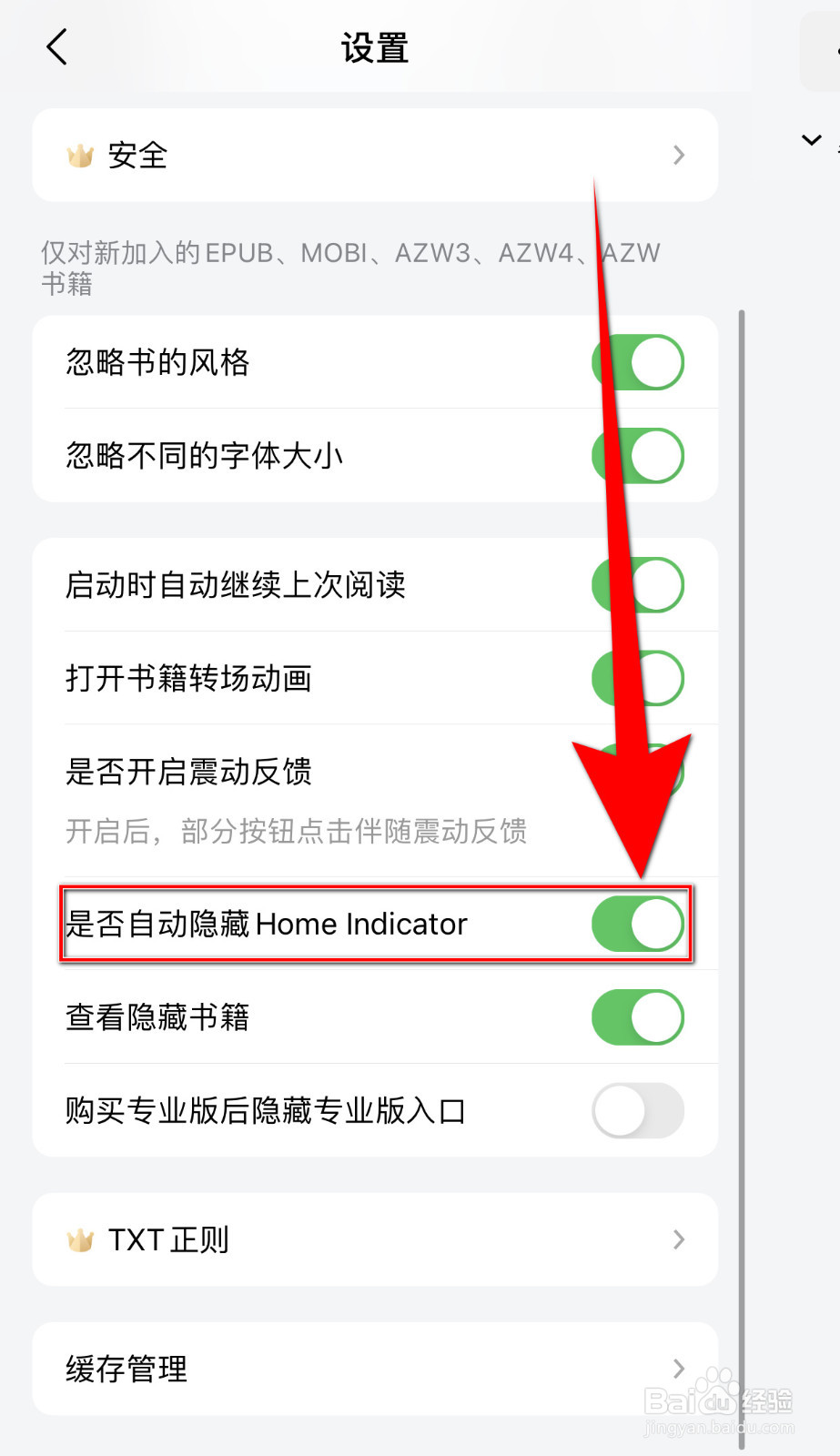
3、设置界面点击【是否自动隐藏Home Indicator】后面的圆点
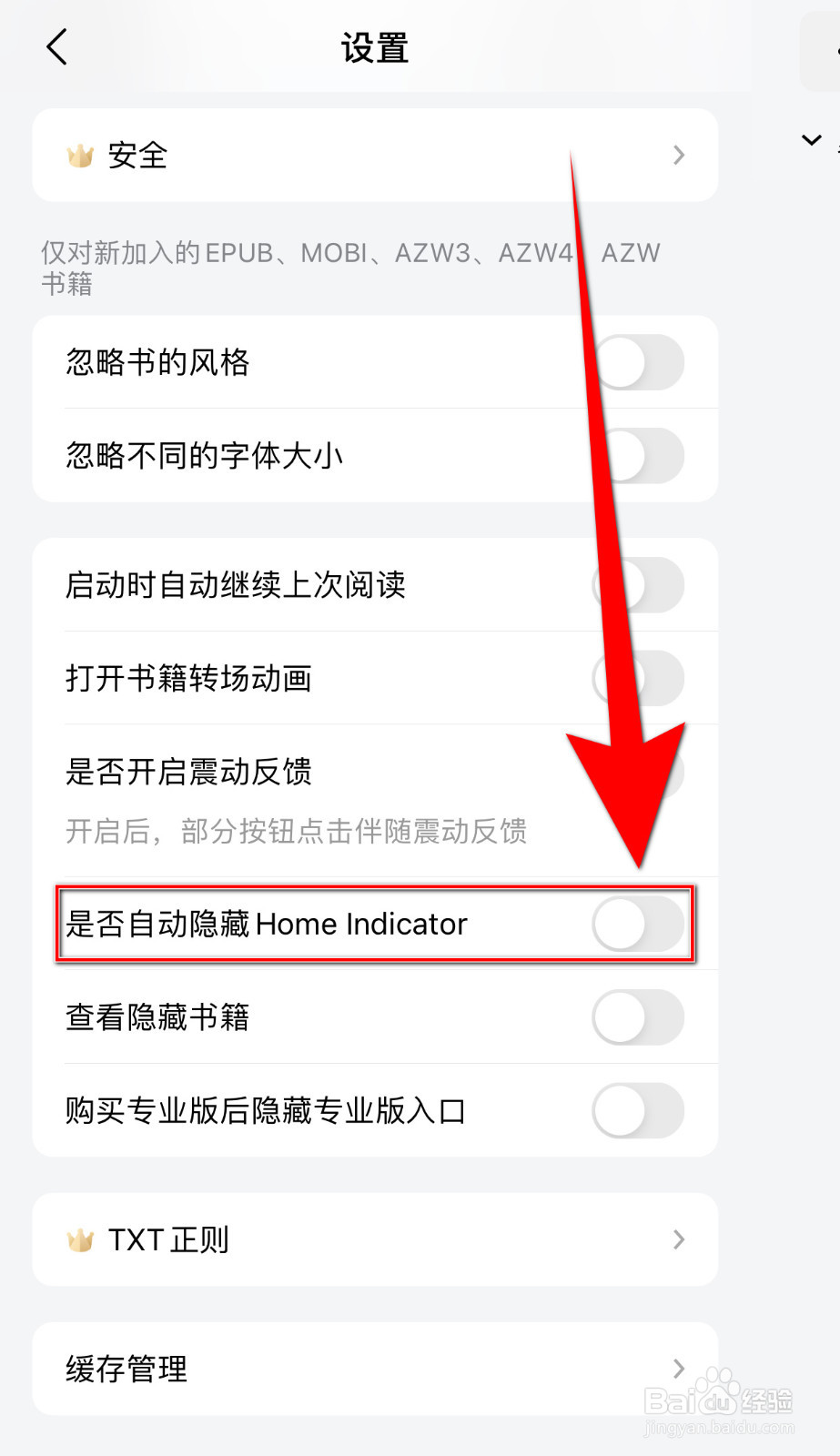
4、【是否自动隐藏Home Indicator】后面的圆点变为灰色即表示停用PureLibro是否自动隐藏Home Indicator成功
1、手机打开【PureLibro】App,PureLibro主界面点击左上角的【…】打开个人信息界面
2、个人信息界面点击【设置】打开设置界面
3、设置界面点击【是否自动隐藏Home Indicator】后面的圆点
4、【是否自动隐藏Home Indicator】后面的圆点变为灰色即表示停用PureLibro是否自动隐藏Home Indicator成功