1、导入DOM和Report API包,因此您不必使用长而完全合格的类名。
import mlreportgen.dom.*
import mlreportgen.report.*
2、创建并打开报告。
% To create a Word report, change the output type from "pdf" to "docx".
rpt = Report("myreport","pdf");
open(rpt);
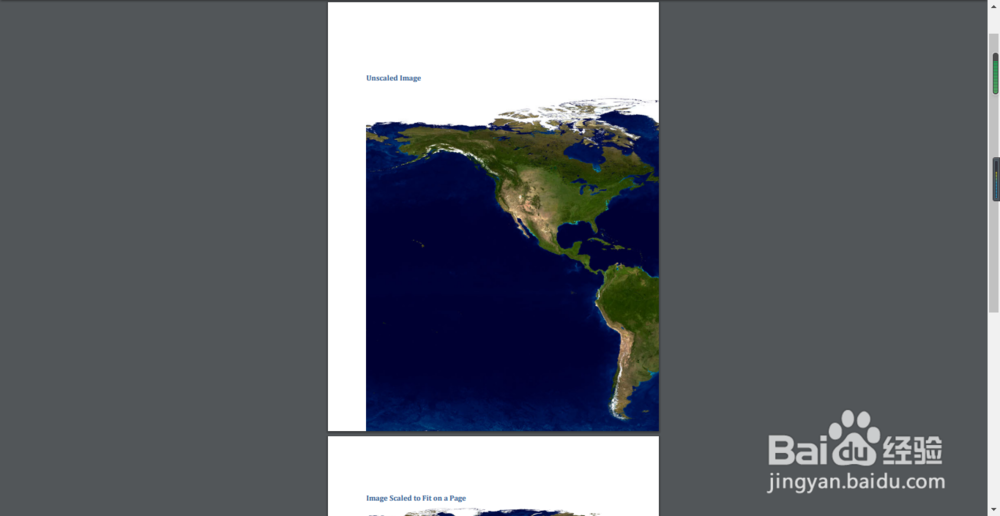
3、指定的图像太大而无法容纳在页面上。
imgPath = which("landOcean.jpg");
4、在报告中添加标题。
heading = Heading1("Unscaled Image");
add(rpt,heading);
5、使用DOM Image类将图像添加到报表中。
img1 = Image(imgPath);
add(rpt,img1);
6、在报告中添加标题。
heading = Heading1("Image Scaled to Fit on a Page");
add(rpt,heading);
7、使用DOM ScaleToFit格式缩放图像以适合页面,然后将缩放后的图像添加到报表中。
img2 = Image(imgPath);
img2.Style = [img2.Style {ScaleToFit}];
add(rpt,img2);
8、关闭并查看报告。
close(rpt);
rptview(rpt);