dbForge for MySQL怎么开启记录应用程序错误

时间:2026-02-17 14:23:13

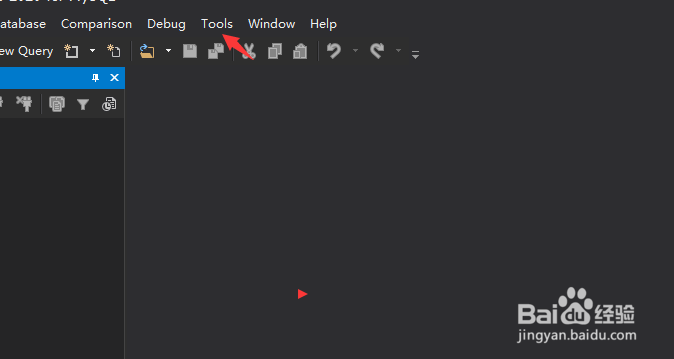
1、点击菜单中的tools菜单


dbForge for MySQL怎么开启记录应用程序错误

2、弹出了下拉菜单选中为options选项


dbForge for MySQL怎么开启记录应用程序错误

3、点击左侧中output选项


dbForge for MySQL怎么开启记录应用程序错误

4、勾选上log application errors选项


dbForge for MySQL怎么开启记录应用程序错误

5、勾选上log application errors选项之后,点击ok按钮
dbForge for MySQL怎么开启记录应用程序错误

© 2026 一点资料
信息来自网络 所有数据仅供参考
有疑问请联系站长 site.kefu@gmail.com