1、1.新建web项目

2、2.配置选择如下

3、3.引入相关spring的jar包

4、4.新增spring-mvx.xml配置文件

5、5.配置文件代码如下

6、6.在web.xml配置文件中新增如下代码,我们用spring来管理所有.do的访问链接

7、7.新建一个普通java类

8、8.类中代码如下
@Controller - 标识为spring的控制器
@RequestMapping("/helloWorld") - 定义访问路径为 /helloWorld.do
model.addAttribute("message", "StringMvc环境搭建!"); 试图定义参数message
return "helloWorld"; 即返回helloWorld.jsp

9、9.新建返回页面

10、10.代码如下, 把控制器当中的参数输出

11、11.新建工程首页

12、12.页面内放置访问链接

13、13.访问工程

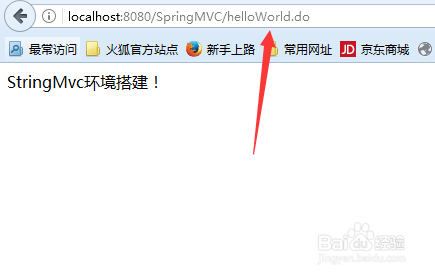
14、14.正常返回结果
15、15.以上,是一个最简单的spring Mvc web项目,后续可进行扩展