1、创建用户postgres
ansible all -m shell -a "useradd postgres"

2、修改postgres用户的密码
ansible all -m shell -a 'echo "postgres:postgres" | chpasswd'

3、批量安装基础软件包
ansible all -m shell -a "yum install -y flex bison readline-devel zlib-devel openjade docbook-style-dsssl gcc"

4、在每个节点上获取安装软件,并解压缩

5、全部节点都创建pgxc路径,用来存放postgres文件
ansible all -m shell -a "su - postgres -c 'mkdir -p /home/postgres/pgxc/nodes/'"

6、修改每个节点的.bashrc文件
su - postgres
vi .bashrc
export PGHOME=/home/postgres/pgxl
export PGUSER=postgres
export LD_LIBRARY_PATH=$PGHOME/lib:$LD_LIBRARY_PATH
export PATH=$PGHOME/bin:$PATH
source ~/.bashrc

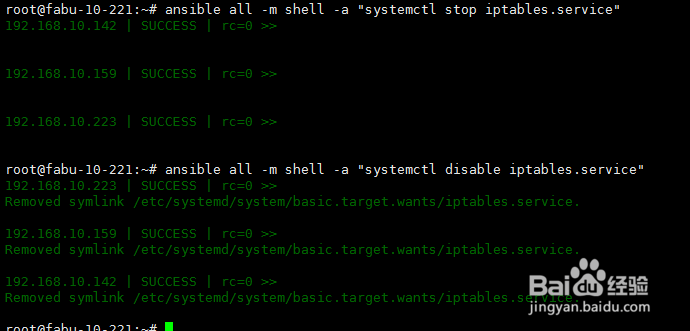
7、关闭iptables
systemctl stop iptables.service
systemctl disable iptables.service
关闭SELinux
setenforce 0
8、 pgxc_ctl -c pgxc_ctl.conf init all
